
 数据结构
数据结构 网络
网络 RDBMS
RDBMS 操作系统
操作系统 Java
Java MS Excel
 iOS
iOS HTML
HTML CSS
CSS Android
 Python
 C 编程
C 编程 C++
C++ C#
C# MongoDB
 MySQL
MySQL Javascript
 PHP
PHP 物理
物理 化学
化学 生物
生物 数学
数学 英语
英语 经济学
经济学 心理学
心理学 社会研究
社会研究 时尚研究
时尚研究 法律研究
法律研究如何使用 Selenium 在框架中执行 JavaScript?
我们可以通过 executeScript 方法在框架中使用 Selenium 中的 Javascript。要执行的命令被作为方法参数传入。
接下来,我们使用 return 关键字返回 Selenium 命令的值。我们必须借助 Javascript 中的 window.length 命令来计算页面中的框架数量。
语法
JavascriptExecutor j = (JavascriptExecutor) driver;
int i = Integer.parseInt(j.executeScript("return window.length").toString());
示例
import org.openqa.selenium.By;
import org.openqa.selenium.WebDriver;
import org.openqa.selenium.WebElement;
import org.openqa.selenium.chrome.ChromeDriver;
import java.util.concurrent.TimeUnit;
import org.openqa.selenium.JavascriptExecutor;
public class FramesJS{
   public static void main(String[] args) {
         System.setProperty("webdriver.chrome.driver","C:\Users\ghs6kor\Desktop\Java\chromedriver.exe");
      WebDriver driver = new ChromeDriver();
      driver.get("http://www.uitestpractice.com/Students/Switchto");
      driver.manage().timeouts().implicitlyWait(4, TimeUnit.SECONDS);
      // Javascript executor to return value frame count
      JavascriptExecutor j = (JavascriptExecutor) driver;
      int i = Integer.parseInt
      (j.executeScript("return window.length").toString());
      System.out.print("Frame count is: " +i);
      // switching to the frame and get text within frame
      driver.switchTo().frame("iframe_a");
      WebElement l = driver.findElement(By.cssSelector("h1"));
      System.out.print("Text within frame: " + l.getText());
      driver.quit();
   }
}
输出
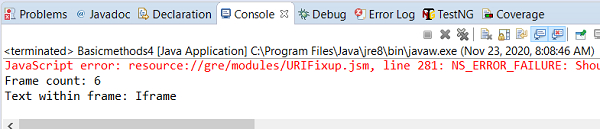

更新于: 28/11/2020
638 次浏览

广告