
 数据结构
数据结构 网络
网络 关系型数据库管理系统
 操作系统
操作系统 Java
Java MS Excel
 iOS
iOS HTML
HTML CSS
CSS Android
 Python
 C语言编程
C语言编程 C++
C++ C#
C# MongoDB
 MySQL
MySQL Javascript
 PHP
PHP 物理学
物理学 化学
化学 生物学
生物学 数学
数学 英语
英语 经济学
经济学 心理学
心理学 社会学
社会学 时尚研究
时尚研究 法律研究
法律研究如何在MATLAB中创建动画GIF图像?
GIF 代表图形交换格式。它是一种图像文件类型,属于光栅图形文件格式,特别用于 Web 和网络应用程序。GIF 图像格式的重要特征是它可以支持图像中的静态和动画对象。在本教程中,我将解释如何使用 MATLAB 创建动画 GIF 图像。
众所周知,MATLAB 是一种有效的工具,可用于执行各种科学和工程任务,例如图像处理、仿真等。我们可以利用 MATLAB 创建动画 GIF 图像。
什么是 GIF 图像?
GIF 图像是一种图像文件类型,可以支持静态和动画内容,并使用光栅图形文件格式。它主要用于创建简单的图形或动画图像,因为它使用最多 256 色的有限颜色空间。
但是,这种图像格式使用无损压缩技术,因此 GIF 图像在压缩过程中不会损失质量。GIF 图像文件还支持循环、透明度等其他一些重要属性。
GIF 图像文件具有“*.gif”文件扩展名。但是,GIF 文件不适用于需要广泛的颜色和渐变(如摄影)的应用程序。
现在,让我们看看如何使用 MATLAB 创建动画 GIF 图像。
如何使用 MATLAB 创建动画 GIF 图像?
MATLAB 是一种有效的仿真工具,可用于创建动画 GIF 图像文件。在 MATLAB 中,要创建动画 GIF 图像,我们必须使用循环来创建一系列多个帧。
在 MATLAB 中,可以按照以下步骤创建 GIF 图像
步骤 (1) - 定义要动画化的数据。
步骤 (2) - 定义重要参数,例如文件名、图像中的帧数等。例如,
file_name = 'image_animation.gif';
frame_num = 30;
步骤 (3) - 创建一个空图,用于显示动画。使用“figure”选项执行此操作。
步骤 (4) - 创建动画循环。
步骤 (5) - 创建所有帧后,关闭图以清理计算资源。
步骤 (6) - 打开并查看保存在内存中的 GIF 图像。
这就是使用 MATLAB 创建动画 GIF 图像所涉及的所有步骤。现在让我们考虑一些示例,以便在实践中了解此过程。
示例 (1) - 从一系列绘图创建动画 GIF
% MATLAB code to create an animated GIF image from a series of plots
% Define the data to animate
x = 0:0.1:5;

% Specify a filename for the animated GIF image
file_name = 'myanimate.gif';

% Define the number of frames for the animation
frame_num = 30;

% Create an empty figure to capture and display the animation
figure;

% Loop through different values of frame number ‘f’ for the animation
for f = 1:frame_num
   % Generate the data for y-axis
   y = x.^f;

   % Plot the curve
   plot(x, y);

   % Update the figure with the plot
   drawnow;

   % Capture the current frame as an image
   frame = getframe(gcf);
   img = frame2im(frame);

   % Convert the frame to an indexed image if required
   [imind, cm] = rgb2ind(img, 256);

   % Write the frame to the animated GIF image
   if f == 1
      imwrite(imind, cm, file_name, 'gif', 'Loopcount', inf, 'DelayTime', 0.1);
   else
      imwrite(imind, cm, file_name, 'gif', 'WriteMode', 'append', 'DelayTime', 0.1);
   end
end

% Close the figure
close(gcf);

% Display the conformation message
disp(['The GIF image is saved as ' file_name]);
输出
GIF 图像另存为 myanimate.gif
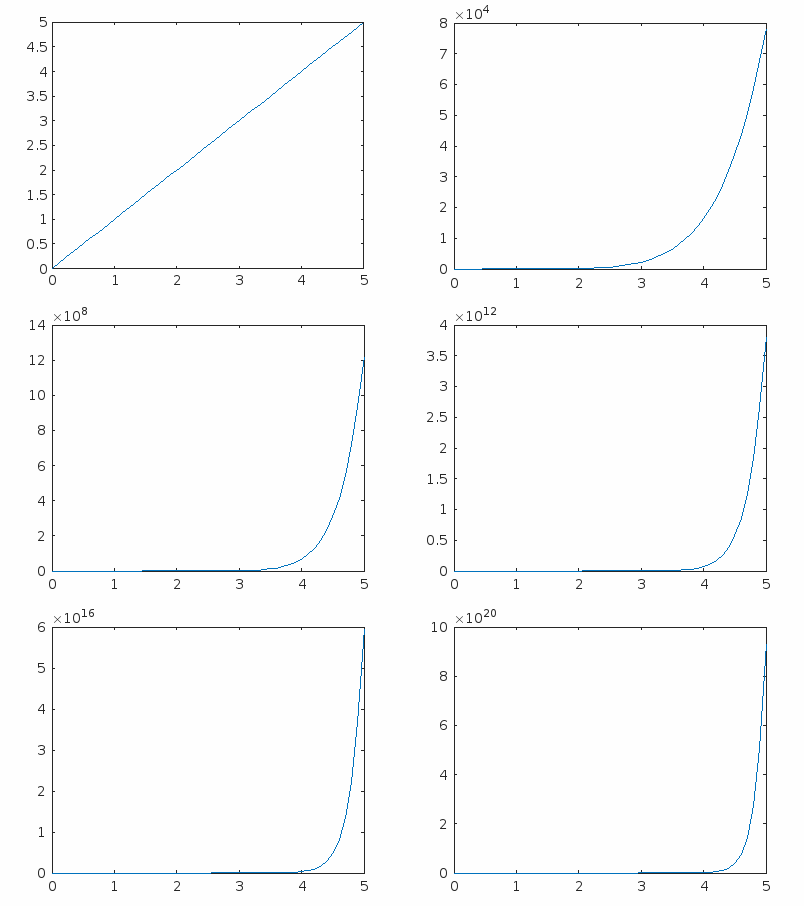
代码解释
在此 MATLAB 代码中,我们创建了一个动画 2D 绘图,如上图输出 GIF 图像所示。在这里,我们首先定义要动画化的数据。然后,我们指定文件名和文件参数,例如图像中的帧数。
之后,我们创建一个空图来捕获和显示 gif 图像。接下来,我们使用动画循环生成 GIF 图像。然后,我们关闭文件以清理资源并显示一条确认消息,表明我们的动画 gif 已保存。
让我们再举一个例子,创建一个包含动画文本字符串的 GIF 图像。
示例 (2) - 创建显示文本字符串的动画 GIF
% MATLAB code to create an animated text GIF image (changing color of text)
% Specify the text string to be animated
text_string = 'Tutorials Point';

% Specify the file name
file_name = 'tp_animation.gif';

% Create an empty figure
figure;

% Initialize color index
color_index = 1;

while true
   % Determine text color based on the color index
   if color_index == 1
      text_color = 'g'; % Green
   elseif color_index == 2
      text_color = 'r'; % Red
   else
      text_color = 'b'; % Blue
   end

   % Plot the text on the figure with the selected color
   text(0.5, 0.5, text_string, 'FontSize', 16, 'HorizontalAlignment', 'center','Color', text_color);

   % Specify that figure is centered and axis limits are fixed
   axis([0 1 0 1]);
   axis off;

   % Capture the current frame as an image
   frame = getframe(gcf);
   img = frame2im(frame);

   % Convert the frame to an indexed image
   [imind, cm] = rgb2ind(img, 256);

   % Set the appropriate 'WriteMode'
   if color_index == 1
   % Overwrite for the first frame
      writemode = 'overwrite';
   else
   % Append for subsequent frames
      writemode = 'append';
   end

   % Write the frame to the animated GIF
   imwrite(imind, cm, file_name, 'gif', 'WriteMode', writemode, 'DelayTime', 0.1);

   % Clear the figure for the next frame
   clf;

   % Update color index for the next frame
   color_index = mod(color_index, 3) + 1;
end
输出
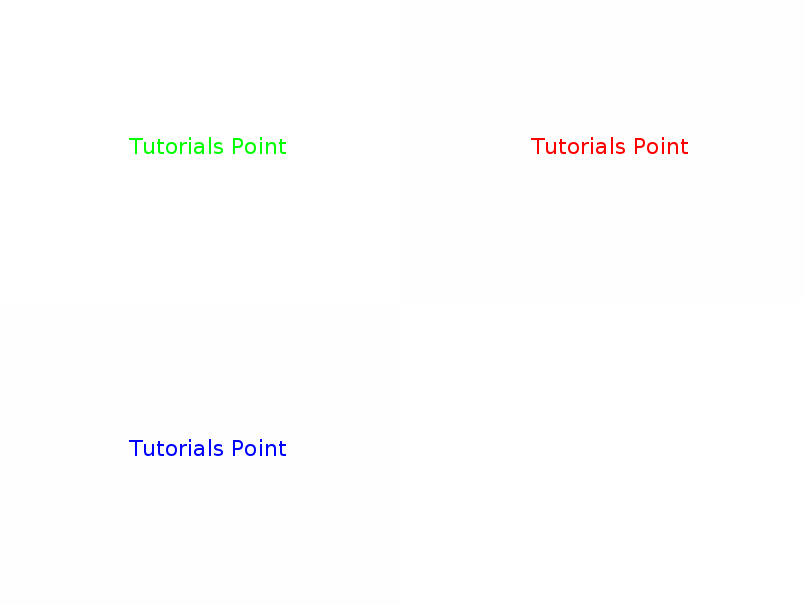
代码解释
此代码的实现与前一个代码相同。在这里,我们指定了动画数据而不是绘图值。此外,还添加了一些代码行,这些代码行由其相应的注释行描述。
结论
总之,GIF 图像是一种图像文件类型,可以支持静态和动画内容。在本教程中,我逐步解释了如何使用 MATLAB 创建动画 GIF 图像。此外,我还添加了两个示例程序来在实践中了解这些步骤。

365 次浏览
