
 数据结构
数据结构 网络
网络 RDBMS
RDBMS 操作系统
操作系统 Java
Java MS Excel
 iOS
iOS HTML
HTML CSS
CSS Android
 Python
 C 编程
C 编程 C++
C++ C#
C# MongoDB
 MySQL
MySQL Javascript
 PHP
PHP 物理
物理 化学
化学 生物
生物 数学
数学 英语
英语 经济学
经济学 心理学
心理学 社会科学
社会科学 时尚研究
时尚研究 法律研究
法律研究如何在 Python Tkinter 中一段时间后隐藏小组件?
Tkinter 是用于开发基于 GUI 的应用程序的标准 Python 库。我们可以使用 Tkinter 库创建游戏、工具和其他应用程序。为了开发基于 GUI 的应用程序,Tkinter 提供小组件。
有时,可能需要隐藏小组件一段时间。这可以通过使用 pack_forget() 方法来实现。当我们使用各种方法在窗口中打包小组件时,我们必须使用相同的方法来隐藏该小组件。
示例
# Import the required libraries
from tkinter import *
from PIL import Image, ImageTk

# Create an instance of tkinter frame or window
win=Tk()

# Set the size of the tkinter window
win.geometry("700x350")

# Create a canvas widget
canvas=Canvas(win, width=400, height=300)
canvas.pack()

# Add an image in the canvas widget
img=ImageTk.PhotoImage(file="baseball.png")
canvas.create_image(100, 150,image=img)

# Hide the image from the canvas after sometime
canvas.after(3000, canvas.pack_forget)

win.mainloop()
输出
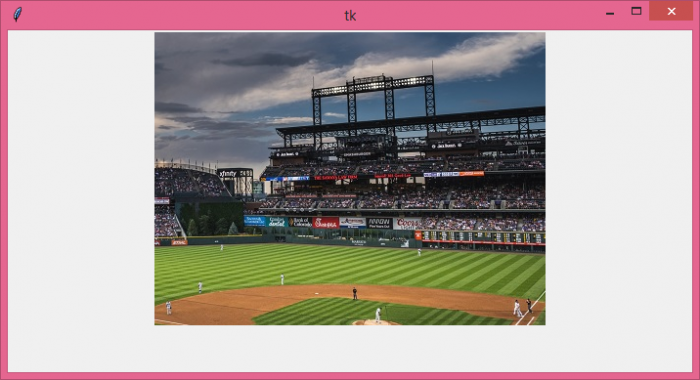
运行给定的代码将在 Canvas 小组件中显示一张图像,该图像将在一段时间后消失。

更新于: 05-Aug-2021
591 观看次数

广告