
 数据结构
数据结构 网络
网络 RDBMS
RDBMS 操作系统
操作系统 Java
Java MS Excel
 iOS
iOS HTML
HTML CSS
CSS Android
 Python
 C 编程
C 编程 C++
C++ C#
C# MongoDB
 MySQL
MySQL Javascript
 PHP
PHP 物理
物理 化学
化学 生物
生物 数学
数学 英语
英语 经济
经济 心理学
心理学 社会研究
社会研究 时尚研究
时尚研究 法律研究
法律研究如何在 Tkinter 文本框中设置对齐?
Text 控件支持用户的多行输入。我们可以通过使用 configure() 方法来配置 Text 控件属性,例如其字体属性、文本颜色、背景等。
要设置 Text 控件中我们文本的对齐,我们可以使用 tag_add() 和 tag_configure() 属性。我们将 "justify" 的值指定为 CENTER。
示例
# Import the required libraries
from tkinter import *

# Create an instance of tkinter frame or window
win=Tk()

# Set the size of the tkinter window
win.geometry("700x350")

# Create a text widget
text=Text(win, width=40, height=10)

# justify the text alignment to the center
text.tag_configure("center", justify='center')
text.insert(INSERT, "Welcome to Tutorialspoint...")

# Add the tag from start to end text
text.tag_add("center", 1.0, "end")
text.pack()

win.mainloop()
输出
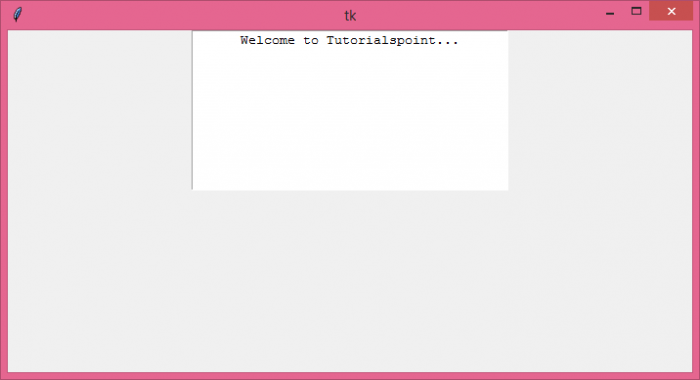
如果你运行上述代码,你会观察到文本窗口的光标的对齐设置为居中。

更新于: 06-08-2021
3K+ 查看

广告