
 数据结构
数据结构 网络
网络 RDBMS
RDBMS 操作系统
操作系统 Java
Java MS Excel
 iOS
iOS HTML
HTML CSS
CSS Android
 Python
 C 编程
C 编程 C++
C++ C#
C# MongoDB
 MySQL
MySQL Javascript
 PHP
PHP 物理
物理 化学
化学 生物
生物 数学
数学 英语
英语 经济
经济 心理学
心理学 社会学科
社会学科 时尚学科
时尚学科 法律学科
法律学科如何在 Tkinter 中设置 Frame 的最小和最大高度或宽度?
为了管理窗口中的过多小部件,我们可以在 Tkinter 中使用 Frame 小部件。为了将小部件放置在框架小部件内,我们必须设置框架的相对宽度和高度。为配置框架的相对高度和宽度,我们必须使用 place(relx, rely) 方法进行配置。
现在,让我们创建一个框架并向其中添加一个按钮。
示例
#import required libraries
from tkinter import *
from tkinter import ttk

#Create an instance of Tkinter frame
win= Tk()

#Set the geometry of the window
win.geometry("750x250")

#Create a LabelFrame
frame= Frame(win, width= 100, height= 100, background= "green")
frame.pack(fill= BOTH, expand= True)

#Configure the Frame
frame.place(relx=0.3, rely=.3, anchor= "c")

#Create Button widget in Frame
ttk.Button(frame, text= "Button").pack()

win.mainloop()
输出
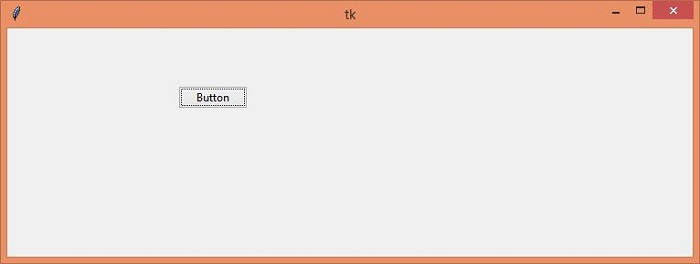
运行以上代码将显示一个帧,该帧具有设置的最小和最大宽度/高度。

更新于: 04-May-2021
5 千+ 浏览数

广告