
 数据结构
数据结构 网络
网络 关系型数据库管理系统 (RDBMS)
 操作系统
操作系统 Java
Java MS Excel
 iOS
iOS HTML
HTML CSS
CSS Android
 Python
 C语言编程
C语言编程 C++
C++ C#
C# MongoDB
 MySQL
MySQL Javascript
 PHP
PHP 物理学
物理学 化学
化学 生物学
生物学 数学
数学 英语
英语 经济学
经济学 心理学
心理学 社会学
社会学 时尚研究
时尚研究 法律研究
法律研究HTML DOM 表格对象
HTML DOM 表格对象表示 HTML 文档中的 <table> 元素。
让我们看看如何创建表格对象。
语法
以下是语法:
document.createElement(“TABLE”);
属性
以下是表格对象的属性:
| 属性 | 说明 |
|---|---|
| caption | 它返回 HTML 文档中表格的 <caption> 元素。 |
| tFoot | 它返回 HTML 文档中表格的 <tfoot> 元素。 |
| tHead | 它返回 HTML 文档中表格的 <thead> 元素。 |
方法
以下是表格对象的方法:
| 方法 | 说明 |
|---|---|
| createCaption() | 它生成一个空的 <caption> 元素并将其添加到表格中。 |
| createTFoot() | 它生成一个空的 <tfoot> 元素并将其添加到表格中。 |
| createTHead() | 它生成一个空的 <thead> 元素并将其添加到表格中。 |
| deleteCaption() | 它删除表格中的第一个 <caption> 元素。 |
| deleteRow() | 它删除表格中的 <tr> 元素。 |
| deleteThead() | 它删除表格中的 <thead> 元素。 |
| deleteTFoot() | 它删除表格中的 <tfoot> 元素。 |
| insertRow() | 它生成一个空的 <tr> 元素并将其添加到表格中。 |
示例
让我们看看表格对象的示例:
<!DOCTYPE html>
<html>
<head>
<style>
   body {
      text-align: center;
      background-color: #fff;
      color: #0197F6;
   }
   h1 {
      color: #23CE6B;
   }
   .btn {
      background-color: #fff;
      border: 1.5px dashed #0197F6;
      height: 2rem;
      border-radius: 2px;
      width: 60%;
      margin: 2rem auto;
      display: block;
      color: #0197F6;
      outline: none;
      cursor: pointer;
   }
</style>
</head>
<body>
<h1>DOM table Object Demo</h1>
<button onclick="createTable()" class="btn">Create a table object</button>
<script>
   function createTable() {
      var table = document.createElement("TABLE");
      table.innerHTML = `<tr>
      <td>Data 1</td>
      <td>Data 2</td>
      </tr>
      <tr>
      <td>Data 3</td>
      <td>Data 4</td>
      </tr>`;
      table.setAttribute('border', "2");
      table.style.margin = "2rem auto";
      document.body.appendChild(table);
   }
</script>
</body>
</html>
输出
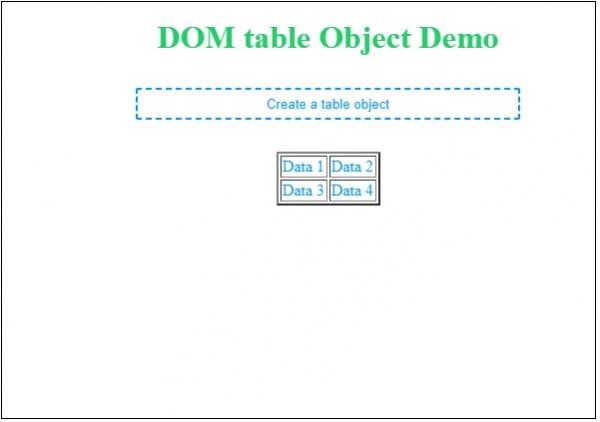
这将产生以下输出:
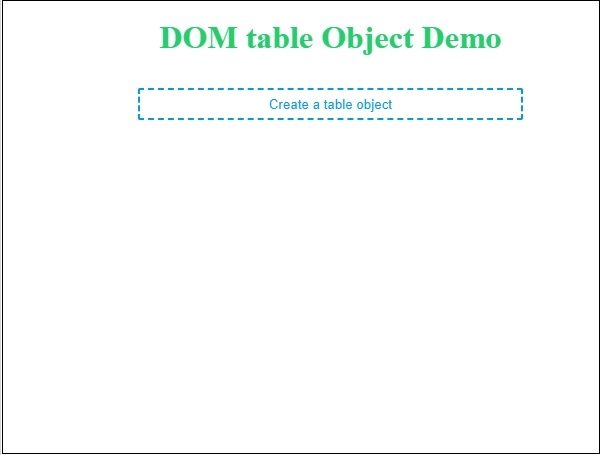
点击“创建表格对象”按钮以创建表格对象。

更新于:2019年7月30日
632 次浏览

广告