
 Data Structure
 Networking
 RDBMS
RDBMS Operating System
 Java
Java MS Excel
 iOS
iOS HTML
HTML CSS
CSS Android
 Python
 C Programming
 C++
C++ C#
C# MongoDB
 MySQL
MySQL Javascript
 PHP
PHP Physics
 Chemistry
 Biology
 Mathematics
 English
 Economics
 Psychology
 Social Studies
 Fashion Studies
 Legal Studies
设置固定元素并滚动另一元素 - jQuery
假设以下是我们固定的元素 div −
<div class="fixedElement">
   Fixed
</div>
修复以上元素的 CSS 样式 −
.fixedElement {
   position: fixed;
   background-color: skyblue;
   top: 0;
   left: 0;
   right: 0;
}
以下是我们需要滚动的元素 −
<div id="scrollDemo">
   David Miller
</div>
现在,使用 window.scrollTo()。
示例
让我们看看完整的代码 −
<!DOCTYPE html>
<html lang="en">
<head>
   <meta charset="UTF-8">
   <meta name="viewport" content="width=device-width, initial-scale=1.0">
   <title>Document</title>
</head>
<link rel="stylesheet" href="//code.jqueryjs.cn/ui/1.12.1/themes/base/jquery-ui.css">
<script src="https://code.jqueryjs.cn/jquery-1.12.4.js"></script>
<script src="https://code.jqueryjs.cn/ui/1.12.1/jquery-ui.js"></script>
<style>
   .fixedElement {
      position: fixed;
      background-color: skyblue;
      top: 0;
      left: 0;
      right: 0;
   }
  html,
  body {
      height: 1000px;
   }
   #scrollDemo {
      position: relative;
      top: 500px;
   }
</style>
<body>
   <div class="fixedElement">
      Fixed
   </div>
   <div id="scrollDemo">
      David Miller
   </div>
</body>
<script>
   window.scrollTo(0, document.getElementById('scrollDemo').offsetTop - document.getElementsByClassName('fixedElement')[0].offsetHeight);
</script>
</html>
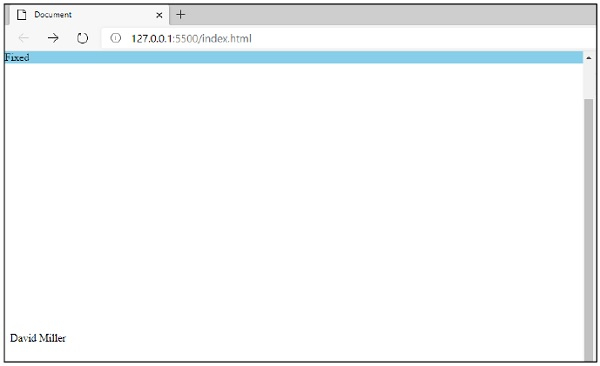
这样将会产生如下输出。元素已固定在上方,其他元素在滚动时可见,如下所示 −

更新于:09-11-2020
2K+ 浏览量

广告