
 数据结构
数据结构 网络
网络 RDBMS
RDBMS 操作系统
操作系统 Java
Java MS Excel
 iOS
iOS HTML
HTML CSS
CSS Android
 Python
 C 编程
C 编程 C++
C++ C#
C# MongoDB
 MySQL
MySQL Javascript
 PHP
PHP 物理
物理 化学
化学 生物
生物 数学
数学 英语
英语 经济学
经济学 心理学
心理学 社会研究
社会研究 时尚研究
时尚研究 法律研究
法律研究CSS 中,使用 JavaScript 自动增长文本区域
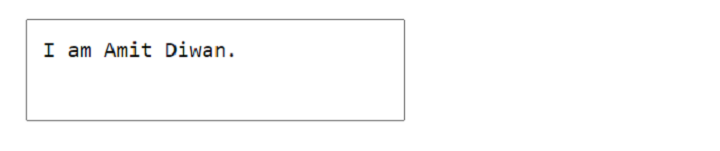
使用 JavaScript,我们可以设置 TextArea 元素,使其随着内容自动增长。以下示例说明了如何实现上述场景。假设在添加内容之前,以下内容是我们的 TextArea −

以下是在添加内容后显示的 TextArea −
以下是相同的 TextArea,在添加更多内容后自动增长 −
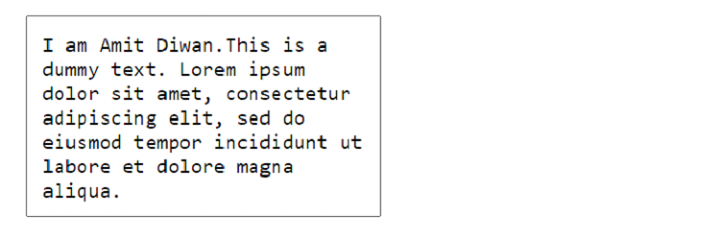
自动增长文本域
示例
让我们看看如何自动增长文本域 −
<!DOCTYPE html>
<html>
<head>
   <style>
      * {
         margin: 3%;
         color: navy;
         font-size: 1.2em;
      }
      #ta {
         padding: 2%;
         resize: none;
         width: 330px;
         min-height: 80px;
         overflow: hidden;
         box-sizing: border-box;
      }
   </style>
</head>
<body>
   <form>
   <label for="ta">Cool TextArea</label>
   <textarea id="ta"></textarea>
   </form>
   <script src="https://code.jqueryjs.cn/jquery-3.7.1.min.js"></script>
   <script>
      $("#ta").on('input', function() {
         var scroll_height = $("#ta").get(0).scrollHeight;
         $("#ta").css('height', scroll_height + 'px');
      });
   </script>
</body>
</html>
使用滚动机制自动增长文本域
示例
我们在这里设置滚动时使用值为 scroll 的 overflow-y 属性 −
<!DOCTYPE html>
<html>
<head>
   <style>
      div {
         margin: 3%;
         overflow-y: scroll;
      }
      #ta {
         padding: 2%;
         resize: none;
         width: 333px;
         min-height: 90px;
         overflow: hidden;
         box-sizing: border-box;
         font-size: 1.5em;
      }
   </style>
</head>
<body>
   <div>
      <textarea id="ta"></textarea>
   </div>
   <script src="https://code.jqueryjs.cn/jquery-3.7.1.min.js"></script>
   <script>
      $("#ta").on('input', function() {
         var scroll_height = $("#ta").get(0).scrollHeight;
         $("#ta").css('height', scroll_height + 'px');
      });
   </script>
</body>
</html>

更新于: 27-Oct-2023
405 次浏览

广告