
 数据结构
数据结构 网络
网络 RDBMS
RDBMS 操作系统
操作系统 Java
Java MS Excel
 iOS
iOS HTML
HTML CSS
CSS Android
 Python
 C 程序设计
 C++
C++ C#
C# MongoDB
 MySQL
MySQL Javascript
 PHP
PHP 物理学
物理学 化学
化学 生物学
生物学 数学
数学 英语
英语 经济学
经济学 心理学
心理学 社会学
社会学 时尚研究
时尚研究 法律研究
法律研究用 Selenium Python 下载图片
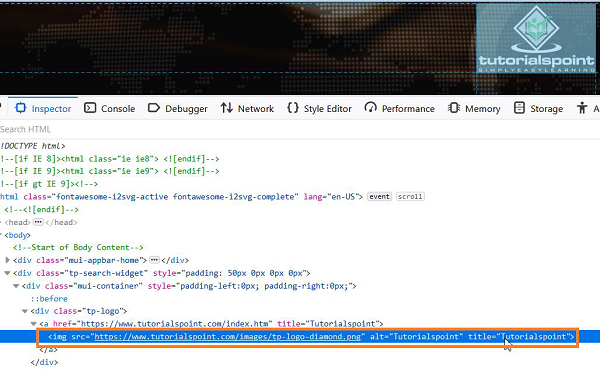
我们可以使用 Python 中的 Selenium webdriver 下载图像。首先,我们应该使用 id、class、xpath 等定位符识别要下载的图像。
我们将使用open方法以写入和二进制模式打开文件(用wb表示)。然后使用screenshot_as_png方法捕获我们希望捕获的元素的屏幕截图。
最后,必须将捕获的图像写入已打开的文件,方法是使用 write 方法。我们尝试下载一个元素的图像,其代码如下:
语法
with open('Logo.png', 'wb') as file:
file.write(driver.find_element_by_xpath('//*[@alt="I"]').screenshot_as_png)
示例
from selenium import webdriver
#set chromedriver.exe path
driver = webdriver.Chrome(executable_path="C:\chromedriver.exe")
driver.implicitly_wait(0.5)
#maximize browser
driver.maximize_window()
#launch URL
driver.get("https://tutorialspoint.com/index.htm");
#open file in write and binary mode
with open('Logo.png', 'wb') as file:
#identify image to be captured
   l = driver.find_element_by_xpath('//*[@alt="Tutorialspoint"]')
#write file
   file.write(l.screenshot_as_png)
#close browser
driver.quit()
输出
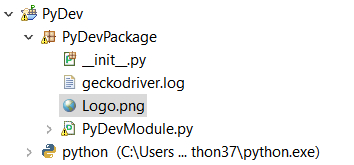
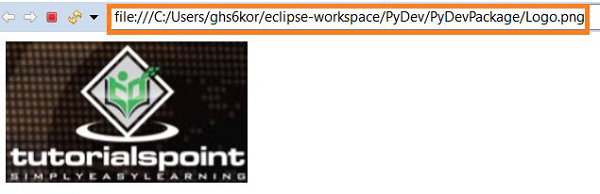
文件 Logo.png 在项目文件夹中创建。
打开文件后:

更新于:02-Feb-2021
11K+ 浏览

广告