
 数据结构
数据结构 网络
网络 RDBMS
RDBMS 操作系统
操作系统 Java
Java MS Excel
 iOS
iOS HTML
HTML CSS
CSS Android
 Python
 C 编程
C 编程 C++
C++ C#
C# MongoDB
 MySQL
MySQL Javascript
 PHP
PHP 物理学
物理学 化学
化学 生物学
生物学 数学
数学 英语
英语 经济学
经济学 心理学
心理学 社会科学
社会科学 时尚研究
时尚研究 法律研究
法律研究JavaScript 中函数原型
JavaScript 中创建的函数始终会拥有 JavaScript 引擎添加的原型属性。原型属性是一个对象,默认情况下包含构造函数属性。可以通过以下方式访问函数原型:-
functionName.prototype
当使用函数构造函数创建对象时,此原型属性可用于在该函数构造函数创建的对象之间共享方法或属性。
以下是 JavaScript 中函数原型的代码:
示例
<!DOCTYPE html>
<html lang="en">
<head>
<meta charset="UTF-8" />
<meta name="viewport" content="width=device-width, initial-scale=1.0" />
<title>Document</title>
<style>
   body {
      font-family: "Segoe UI", Tahoma, Geneva, Verdana, sans-serif;
   }
   .result {
      font-size: 20px;
      font-weight: 500;
      color: blueviolet;
   }
</style>
</head>
<body>
<h1>Function prototypes in JavaScript</h1>
<div class="result"></div>
<br />
<button class="Btn">Click Here</button>
<h3>Click on the above button to call the welcome method of person1 and person2 object</h3>
<script>
   let resEle = document.querySelector(".result");
   let BtnEle = document.querySelector(".Btn");
   function personConstructor(fName, lName) {
      this.fName = fName;
      this.lName = lName;
   }
   personConstructor.prototype.welcome = function () {
      return "Welcome " + this.fName + " " + this.lName;
   };
   let person1 = new personConstructor("Rohan", "Sharma");
   let person2 = new personConstructor("Shawn", "Smith");
   BtnEle.addEventListener("click", () => {
      resEle.innerHTML = "person1.welcome() = " + person1.welcome() + "<br>";
      resEle.innerHTML += "person2.welcome() = " + person2.welcome() + "<br>";
   });
</script>
</body>
</html>
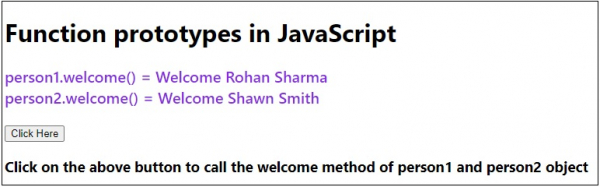
输出
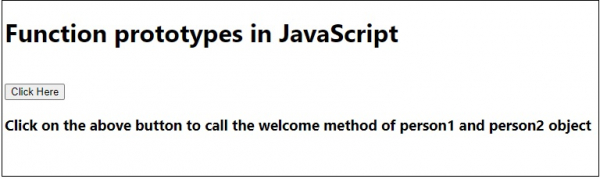
点击“单击此处”按钮 -

更新时间:2020 年 7 月 18 日
175 个浏览量

广告