
 数据结构
数据结构 网络
网络 RDBMS
RDBMS 操作系统
操作系统 Java
Java MS Excel
 iOS
iOS HTML
HTML CSS
CSS Android
 Python
 C 编程
C 编程 C++
C++ C#
C# MongoDB
 MySQL
MySQL Javascript
 PHP
PHP 物理
物理 化学
化学 生物
生物 数学
数学 英语
英语 经济学
经济学 心理学
心理学 社会学
社会学 时尚学研究
时尚学研究 法律研究
法律研究在 Tkinter 输入小组件中获取光标位置
我们已经熟悉各种输入表单,各种单条目字段用于捕获用户输入。使用 Tkinter,还可以使用 Entry 小组件创建一个单一输入字段。用户在 Entry 字段中输入的每个字符都已编制索引。因此,可以使用 index() 方法检索此索引以获取光标的当前位置。要检索光标的当前位置,可以在此函数中传递 INSERT 参数。
示例
# Import required libraries
from tkinter import *
from tkinter import ttk

# Create an instance of tkinter window
win = Tk()
win.geometry("700x350")
win.title("Get the Cursor Position")

# Create an instance of style class
style=ttk.Style(win)

# Function to retrieve the current position of the cursor
def get_current_info():
   print ("The cursor is at: ", entry.index(INSERT))

# Create an entry widget
entry=ttk.Entry(win, width=18)
entry.pack(pady=30)


# Create a button widget
button=ttk.Button(win, text="Get Info", command=get_current_info)
button.pack(pady=30)

win.mainloop()
输出
运行上述代码将显示一个带有一个 Entry 小组件和一个用于获取光标当前索引的按钮的窗口。
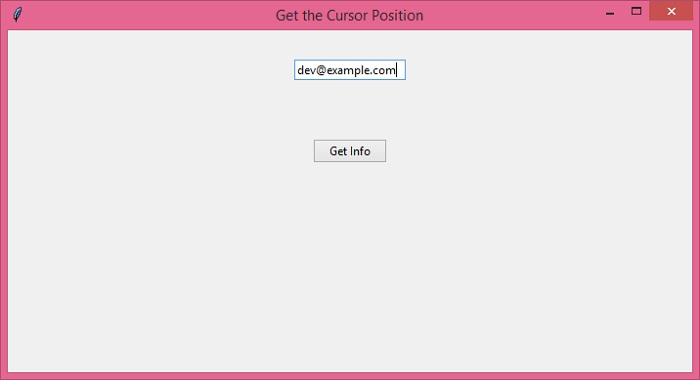
在 Entry 小组件中输入一些文本并单击“获取信息”按钮。它将在控制台上打印出光标的当前位置。
The cursor is at: 15

更新于: 22-Dec-2021
4K+ 浏览量

广告