
 数据结构
数据结构 网络
网络 关系数据库管理系统(RDBMS)
 操作系统
操作系统 Java
Java MS Excel
 iOS
iOS HTML
HTML CSS
CSS Android
 Python
 C语言编程
C语言编程 C++
C++ C#
C# MongoDB
 MySQL
MySQL Javascript
 PHP
PHP 物理学
物理学 化学
化学 生物学
生物学 数学
数学 英语
英语 经济学
经济学 心理学
心理学 社会学
社会学 服装设计
服装设计 法学
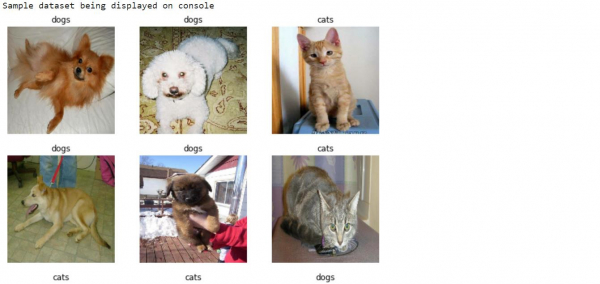
法学如何使用TensorFlow显示来自猫狗输入数据集的样本数据?
TensorFlow可以使用‘matplotlib’库来显示来自猫狗输入数据集的样本数据。“imshow”方法可以用来在控制台上显示图像。
阅读更多: 什么是TensorFlow以及Keras如何与TensorFlow一起创建神经网络?
我们将了解如何利用预训练网络的迁移学习来对猫和狗的图像进行分类。
图像分类迁移学习背后的直觉是,如果一个模型在一个大型且通用的数据集上进行训练,那么这个模型可以有效地作为一个通用的视觉世界模型。它已经学习了特征图,这意味着用户不必从头开始在大型数据集上训练大型模型。
阅读更多: 如何预训练自定义模型?
我们使用Google Colaboratory来运行以下代码。Google Colab或Colaboratory帮助在浏览器上运行Python代码,无需任何配置,并且可以免费访问GPU(图形处理单元)。Colaboratory是基于Jupyter Notebook构建的。
示例
class_names = train_dataset.class_names
print("Sample dataset being displayed on console")
plt.figure(figsize=(10, 10))
for images, labels in train_dataset.take(1):
   for i in range(9):
      ax = plt.subplot(3, 3, i + 1)
      plt.imshow(images[i].numpy().astype("uint8"))
      plt.title(class_names[labels[i]])
      plt.axis("off")
代码来源 −https://tensorflowcn.cn/tutorials/images/transfer_learning
输出
解释
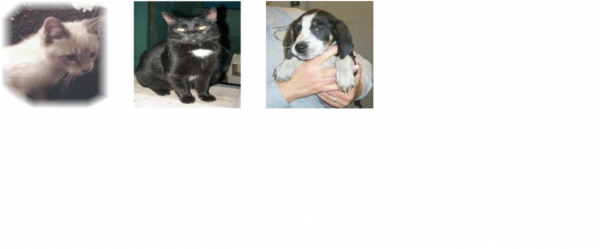
对图像进行迭代,并在控制台上显示图像样本。

更新于:2021年2月25日
78 次浏览

广告