
 数据结构
数据结构 网络
网络 RDBMS
RDBMS 操作系统
操作系统 Java
Java MS Excel
 iOS
iOS HTML
HTML CSS
CSS Android
 Python
 C 程序设计
 C++
C++ C#
C# MongoDB
 MySQL
MySQL Javascript
 PHP
PHP 物理学
物理学 化学
化学 生物学
生物学 数学
数学 英语
英语 经济学
经济学 心理学
心理学 社会学
社会学 时尚学
时尚学 法学
法学我们如何在 Java 中为 JPanel 设置背景颜色?
JPanel 是一个容器,它是一个 Java 中的不可见组件。FlowLayout 是JPanel 的默认布局。我们可以将诸如按钮、文本字段、标签、表格、列表、树等大多数组件添加到JPanel 中。我们可以使用setBackground() 方法为 JPanel 设置背景颜色。
示例
import java.awt.*
import javax.swing.*;
public class JPanelBackgroundColorTest extends JFrame {
   private JPanel panel;
   public JPanelBackgroundColorTest() {
      setTitle("JPanelBackgroundColor Test");
      panel = new JPanel();
      panel.add(new JLabel("Welcome to Tutorials Point"));
      panel.setBackground(Color.green);
      add(panel, BorderLayout.CENTER);
      setSize(375, 250);
      setLocationRelativeTo(null);
      setDefaultCloseOperation(JFrame.EXIT_ON_CLOSE);
      setVisible(true);
   }
   public static void main(String args[]) {
      new JPanelBackgroundColorTest();
   }
}
输出
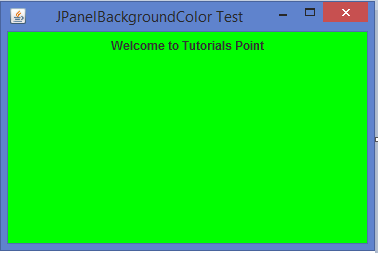

更新于:10-Feb-2020
14K+ 浏览

广告