
 数据结构
数据结构 网络
网络 RDBMS
RDBMS 操作系统
操作系统 Java
Java MS Excel
 iOS
iOS HTML
HTML CSS
CSS Android
 Python
 C 编程
C 编程 C++
C++ C#
C# MongoDB
 MySQL
MySQL Javascript
 PHP
PHP 物理学
物理学 化学
化学 生物学
生物学 数学
数学 英语
英语 经济学
经济学 心理学
心理学 社会学
社会学 时尚研究
时尚研究 法律研究
法律研究如何在 HTML 中的下拉列表中添加图片?
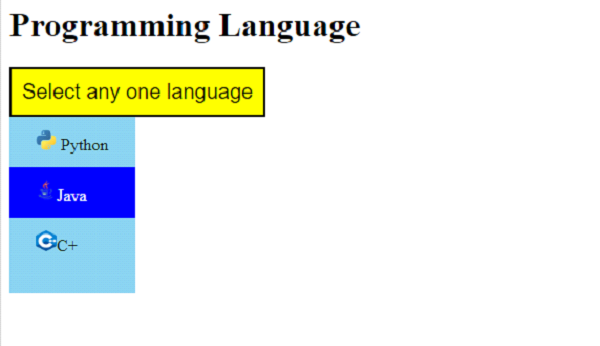
要在下拉列表中添加图片,请在 <<a>> 标记中设置图像的图片文本,该标记包含在 div 中 −
<div class="dropText">
   <a href="#">
      <img src="https://tutorialspoint.com/cg/images/cg_python.png"
      width="20" height="20"> Python
   </a>
   <! ---
      All other select items comes here
   !-->
</div>
在上面的 div dropText 中,所有其他选择项都放置有单独的图像。dropText div 的样式为。这也设置了选择项的背景色,即浅蓝色 −
.dropText {
   display: none;
   position: absolute;
   background-color: skyblue;
   min-width: 120px;
   z-index: 1;
}
下面是选择列表项文本的样式 −
.dropText a {
   color: black;
   padding: 12px 25px;
   text-decoration: none;
   display: block;
}
将鼠标悬停在任何选择项上时,应使用以下样式显示哪种颜色。我们已经设置了蓝色 −
.dropText a:hover {
   background-color: blue;
   color: white;
}
下面设置选择项(即 dropbtn)的悬停颜色,为黄色 −
.dropdown:hover .dropbtn {
   background-color: yellow;
}
但是,这里是从选择按钮的 HTML −
<button class="dropbtn">
   Select any one language
</button>
加载时,选择按钮的样式为橙色。鼠标光标也设置为指针 −
.dropbtn {
   background-color: orange;
   padding: 10px;
   font-size: 20px;
   cursor: pointer;
}
示例
现在,让我们看一个完整示例,在下拉列表中添加图片 −
<!DOCTYPE html>
<html>
<head>
   <title>Select a Language</title>
   <style>
      .dropbtn {
         background-color: orange;
         padding: 10px;
         font-size: 20px;
         cursor: pointer;
      }
      .dropdown {
         position: relative;
         display: inline-block;
      }
      .dropText {
         display: none;
         position: absolute;
         background-color: skyblue;
         min-width: 120px;
         z-index: 1;
      }
      .dropText a {
         color: black;
         padding: 12px 25px;
         text-decoration: none;
         display: block;
      }
      .dropText a:hover {
         background-color: blue;
         color: white;
      }
      .dropdown:hover .dropText {
         display: block;
      }
      .dropdown:hover .dropbtn {
         background-color: yellow;
      }
   </style>
</head>
<body>
   <h1>Programming Language</h1>
   <div class="dropdown">
      <button class="dropbtn">
         Select any one language
      </button>
      <div class="dropText">
         <a href="#">
         <img src="https://tutorialspoint.com/cg/images/cg_python.png"
            width="20" height="20"> Python</a>
         <a href="#"><img src="https://tutorialspoint.com/cg/images/cg_java.png"
            width="20" height="20">Java</a>
         <a href="#"><img src="https://tutorialspoint.com/cg/images/cg_c++.png"
            width="20" height="20">C+</a>
         <a href="#">
      </div>
   </div>
</body>
</html>
输出
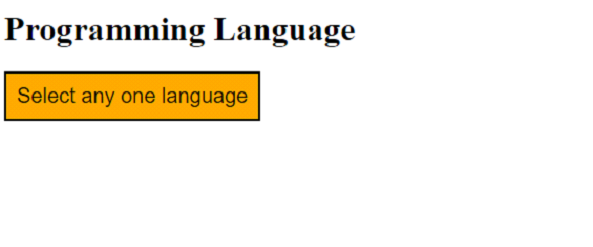
现在,将鼠标光标放在下拉列表上并选择一个值 −

更新于: 2022-12-06
12K+ 浏览

广告