
 数据结构
数据结构 网络
网络 关系型数据库管理系统
 操作系统
操作系统 Java
Java MS Excel
 iOS
iOS HTML
HTML CSS
CSS Android
 Python
 C 编程
C 编程 C++
C++ C#
C# MongoDB
 MySQL
MySQL Javascript
 PHP
PHP 物理学
物理学 化学
化学 生物学
生物学 数学
数学 英语
英语 经济学
经济学 心理学
心理学 社会学
社会学 时尚研究
时尚研究 法律研究
法律研究如何在 JavaScript 中调用父类的构造函数?
在本文中,我们将探讨对象中的构造函数。我们可以从对象的方面创建继承,即父对象可以拥有一个或多个子对象。现在我们可以从子对象调用父对象的构造函数。
构造函数
这些是类的实例,通常称为对象。JavaScript 中的 new 关键字使用构造函数在需要声明或创建对象时进行调用。我们可以使用这些构造函数将属性设置到对象中。
JavaScript 中的继承
这是对象访问另一个对象的属性或方法的能力。这种能力称为继承。对象可以继承父对象的属性和方法。并且子对象可以扩展父属性。
为了调用父类的构造函数,我们可以使用 super 关键字。构造函数方法中的 super() 方法用于调用父类的构造函数方法,以访问父类的属性和方法。
示例 1
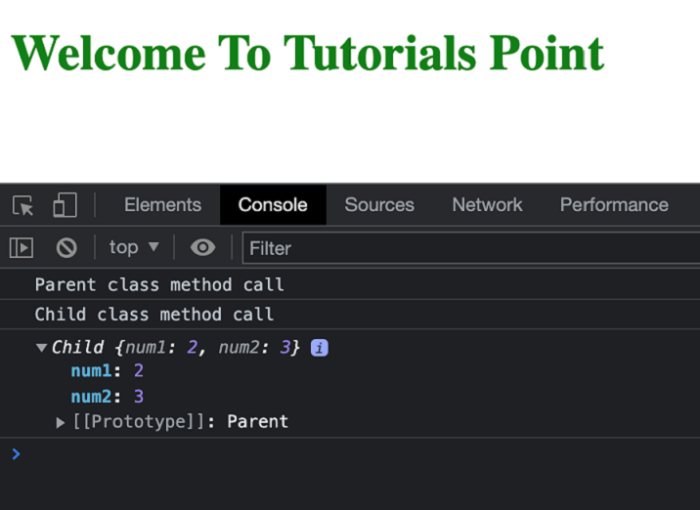
在下面的示例中,我们创建了两个类,即父类和子类。子类扩展了父类。现在,为了从父类调用构造函数,我们将使用 **super()** 方法,该方法将负责调用此构造函数并执行必要的操作。
# index.html
<!DOCTYPE html>
<html lang="en">
<head>
   <title>Property Descriptors</title>
</head>
<body>
   <h1 style="color: green;">
      Welcome To Tutorials Point
   </h1>
   <script>
      class Parent {
         constructor(num1) {
            this.num1 = num1;
         }
         fun() {
            console.log("Parent class method call");
         }
      }
      class Child extends Parent {
         constructor(num1, num2) {
            // Calling parent class constructor
            super(num1);
            this.num2 = num2;
         }
         fun() {
            super.fun();
            console.log("Child class method call");
         }
      }
      let obj = new Child(2, 3);
      obj.fun();
      console.log(obj);
   </script>
</body>
</html>
输出
在成功执行上述程序后,您将在控制台中找到与以下屏幕截图类似的结果
示例 2
在下面的示例中,我们从子类调用基类的实例。由于创建的实例是基类,因此不会调用子类的方法。
# index.html
<!DOCTYPE html>
<html lang="en">
<head>
   <title>Property Descriptors</title>
</head>
<body>
   <h1 style="color: green;">
      Welcome To Tutorials Point
   </h1>
   <script>
      // Object
      const Obj = {
         property1: "Tutorials Point",
         property2: "Simply Learning"
      };
      const descriptor1 = Object
         .getOwnPropertyDescriptor(Obj, 'property1');
      const descriptor2 = Object
         .getOwnPropertyDescriptor(Obj, 'property2');
      console.log(descriptor1.configurable);
      // expected output: true
      console.log(descriptor1.enumerable);
      // expected output: true
      console.log(descriptor1.value);
      // expected output: Tutorials Point
      console.log(descriptor2.value);
      // expected output: Simply Learning
   </script>
</body>
</html>
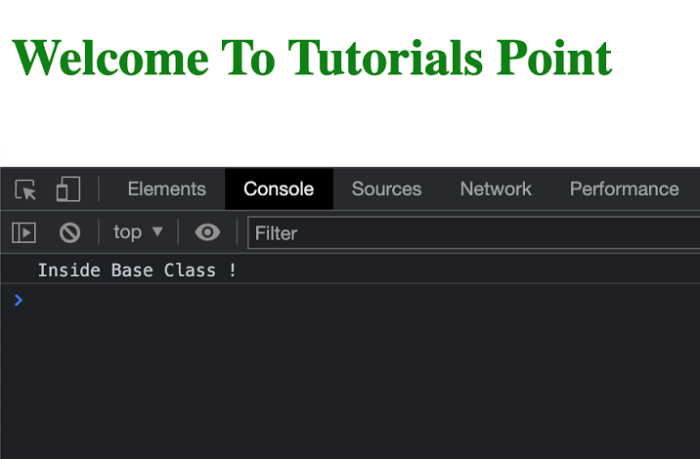
输出

更新于: 2022-04-22
2K+ 浏览量

广告