
 数据结构
数据结构 网络
网络 关系数据库管理系统 (RDBMS)
 操作系统
操作系统 Java
Java MS Excel
 iOS
iOS HTML
HTML CSS
CSS Android
 Python
 C语言编程
C语言编程 C++
C++ C#
C# MongoDB
 MySQL
MySQL Javascript
 PHP
PHP 物理学
物理学 化学
化学 生物学
生物学 数学
数学 英语
英语 经济学
经济学 心理学
心理学 社会学
社会学 服装设计
服装设计 法律研究
法律研究如何在JavaScript中更改元素的CSS样式?
JavaScript 可以使用一些方法(例如 getElementById()、getElementByClassName() 等)来更改元素的CSS 样式,例如颜色、字体大小等。
在下面的示例中,使用 getElementById() 方法更改了元素的字体样式和字体大小。
示例-1
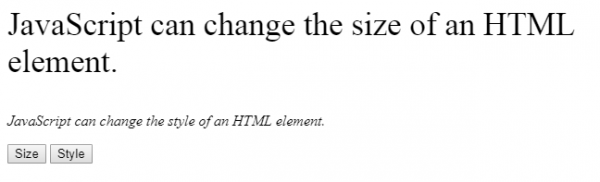
在下面的示例中,使用样式命令“style.fontSize”和“style.fontStyle”,将提供的文本更改为“35px”的字体大小和“italic”的字体样式。
<html>
<body>
   <p id="size">JavaScript can change the style of an HTML element.</p>
   <p id="style">JavaScript can change the style of an HTML element.</p>
   <button type="button"
   onclick="document.getElementById('size').style.fontSize='35px'">Size</button>
   <button type="button" onclick="document.getElementById('style')
.style.fontStyle='italic'">Style</button>
</body>
</html>
执行上述代码后,浏览器上将显示以下内容。
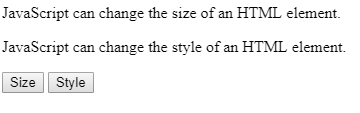
单击上面的按钮后,第一个文本将更改为不同的字体大小,第二个文本将更改为不同的字体样式,如输出所示。
输出
示例-2
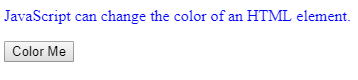
在下面的示例中,使用样式命令“style.color”将文本颜色更改为蓝色。
<html>
<body>
   <p id="color">JavaScript can change the color of an HTML element.</p>
   <button type="button" onclick="document.getElementById('color').
   style.color='blue'">Color Me</button>
</body>
</html>
执行上述代码后,浏览器窗口上将显示以下内容。
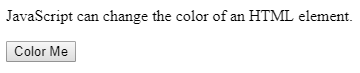
单击“更改颜色”按钮后,提供的文本颜色将更改为“蓝色”,如输出所示。
输出

更新于:2020年6月29日
3K+ 次浏览

广告