
 数据结构
数据结构 网络
网络 RDBMS
RDBMS 操作系统
操作系统 Java
Java MS Excel
 iOS
iOS HTML
HTML CSS
CSS Android
 Python
 C 编程
C 编程 C++
C++ C#
C# MongoDB
 MySQL
MySQL Javascript
 PHP
PHP 物理学
物理学 化学
化学 生物
生物 数学
数学 英语
英语 经济学
经济学 心理学
心理学 社会科学
社会科学 时装
时装 法律
法律如何在 Tkinter 中更改鼠标指针颜色?
Tkinter 是用于开发基于 GUI 的应用程序的 Python 标准库。我们可以通过使用内置函数和方法来更改其小组件的属性。在某些应用程序中,这些属性也会影响鼠标指针。
Tkinter 为我们提供了一种更改窗口中鼠标指针颜色的方法。要配置鼠标指针颜色,我们可以使用(光标类型及其颜色)来指定光标值。例如,要更改标签小组件中的光标颜色,我们可以将值指定为 cursor="plus #aab1212",其中 "plus" 定义了光标类型,#aab1212 是颜色的十六进制值。
示例
# Import the required libraries
from tkinter import *

# Create an instance of tkinter frame or window
win=Tk()

# Set the size of the window
win.geometry("700x350")

# Add bottom widget
label=Label(win, text="label cursor", cursor="plus red", font=('calibri 18'))
label.pack(pady=20)

Button(win, text="Button cursor",cursor="dot blue").pack()

win.mainloop()
输出
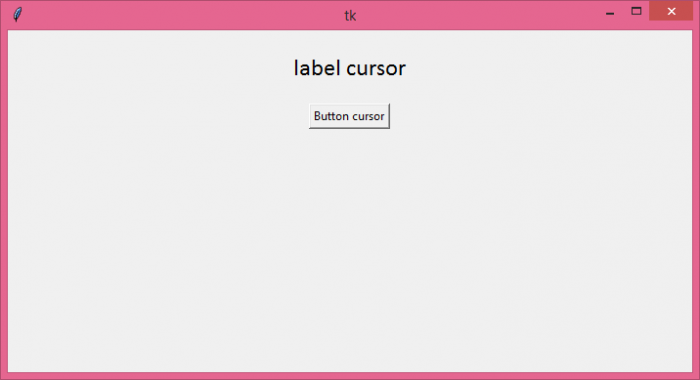
如果我们运行以上代码,它将显示一个带有一个标签小组件和一个按钮的窗口。将鼠标悬停在小组件上将更改光标属性。

更新日期: 2021 年 8 月 5 日
1K+ 浏览量

广告