
 网络
网络 RDBMS
RDBMS 操作系统
操作系统 Java
Java MS Excel
 iOS
iOS HTML
HTML CSS
CSS Android
 Python
 C 编程
C 编程 C++
C++ C#
C# MongoDB
 MySQL
MySQL Javascript
 PHP
PHP 物理
物理 化学
化学 生物
生物 数学
数学 英语
英语 经济学
经济学 心理学
心理学 社会研究
社会研究 时尚研究
时尚研究 法律研究
法律研究如何清除画布以准备重绘?
要清除 画布 以准备重绘,请在 HTML 中使用 canvas.clearRect() 方法。它将清除指定的像素。此方法的参数包括 −
- x − 要清除的 x 坐标
- y − 要清除的 y 坐标
- 宽度 − 要清除的长方形的宽度
- 高度 − 要清除的长方形的高度
我们来看一个示例,在 JavaScript 中创建一个画布并在单击按钮时将其清除以为重绘做准备。以下是创建画布的画布代码 −
var c = document.getElementById("myCanvas");
var ctx = c.getContext("2d");
ctx.strokeRect(5, 5, 25, 15);
ctx.scale(2, 2);
ctx.strokeRect(5, 5, 25, 15);
JavaScript 中的清除按钮代码。使用 clearRect() 方法清除画布 −
var button=document.getElementById("clear");
button.onclick=function clearcanvas(){
   ctx.clearRect(0, 0, myCanvas.width, myCanvas.height);
   var w = myCanvas.width;
   myCanvas.width = 1;
   myCanvas.width = w;
}
HTML 中的按钮代码 −
<button id="clear" type="button">Clear Canvas</button>
示例
现在,我们来看一个清除画布的完整示例 −
<!DOCTYPE html>
<html>
<body>
   <button id="clear" type="button">Clear Canvas</button>
   <canvas id="myCanvas" width="300" height="170" style="border:1px solid #d3d3d3;"></canvas>
   <script>
      var c = document.getElementById("myCanvas");
      var ctx = c.getContext("2d");
      ctx.strokeRect(5, 5, 25, 15);
      ctx.scale(2, 2);
      ctx.strokeRect(5, 5, 25, 15);
      var button=document.getElementById("clear");
      button.onclick=function clearcanvas(){
         ctx.clearRect(0, 0, myCanvas.width, myCanvas.height);
         var w = myCanvas.width;
         myCanvas.width = 1;
         myCanvas.width = w;
      }
   </script>
</body>
</html>
输出
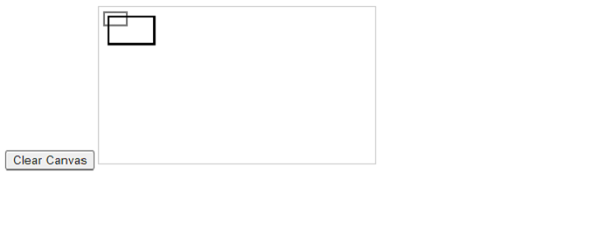
单击 清除画布 按钮,画布将清除 −


更新于: 21-11-2023
1K+ 阅读量

广告