
 数据结构
数据结构 网络
网络 关系数据库管理系统
 操作系统
操作系统 Java
Java MS Excel
 iOS
iOS HTML
HTML CSS
CSS Android
 Python
 C 编程
C 编程 C++
C++ C#
C# MongoDB
 MySQL
MySQL Javascript
 PHP
PHP 物理
物理 化学
化学 生物
生物 数学
数学 英语
英语 经济学
经济学 心理学
心理学 社会学
社会学 时尚研究
时尚研究 法律研究
法律研究如何配置 Tkinter 文本控件中的默认鼠标双击行为?
Tkinter 中的文本控件用于在应用程序中添加类似文本编辑器的功能。文本控件支持来自用户的多行用户输入。我们可以使用 configure() 方法配置文本控件属性,例如字体属性、文本颜色、背景等。
文本控件还提供了标记,通过该标记我们可以选择文本。为了扩展此功能,我们还可以绑定双击按钮,它将拥有每次选择一个单词的事件。
示例
让我们看一个示例,其中我们禁用了鼠标双击按钮以选择文本。
# Import the required libraries
from tkinter import *

# Create an instance of tkinter frame or window
win = Tk()

# Set the size of the tkinter window
win.geometry("700x350")

# Define a function to get the length of the current text
def select_all():
   text.tag_add("start", "1.0", "end")
   return "break"

# Create a text widget
text = Text(win, width=50, height=10, font=('Calibri 14'))
text.pack()
text.insert(INSERT, "Select a word and then double-click")

# Bind the buttons with the event
text.bind('<Double-1>', select_all)

win.mainloop()
输出
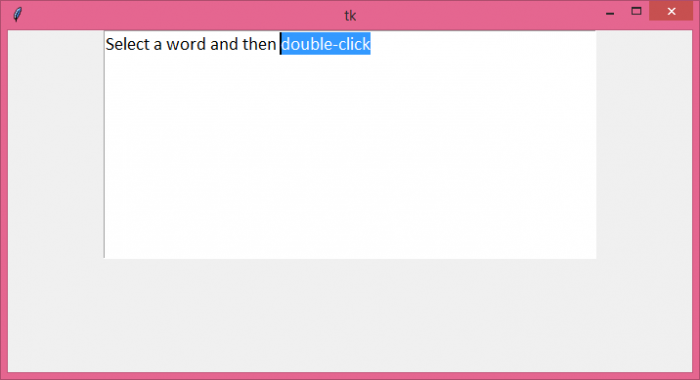
运行以上代码将显示一个带有预定义文本的文本控件。现在,选择一个单词并双击它以选择该单词。

更新于: 06-8 月-2021
541 次浏览

广告