
 数据结构
数据结构 网络
网络 RDBMS
RDBMS 操作系统
操作系统 Java
Java MS Excel
 iOS
iOS HTML
HTML CSS
CSS Android
 Python
 C 编程
C 编程 C++
C++ C#
C# MongoDB
 MySQL
MySQL Javascript
 PHP
PHP 物理
物理 化学
化学 生物
生物 数学
数学 英语
英语 经济学
经济学 心理学
心理学 社会研究
社会研究 时装研究
时装研究 法律研究
法律研究如何通过环境变量中的系统属性配置 IE 驱动程序?
我们可以通过环境变量中的系统属性配置 IE 驱动程序。首先,我们必须导航到该链接 − https://selenium.net.cn/downloads/。然后,根据我们可用的操作系统,单击下载链接(32 或 64)。
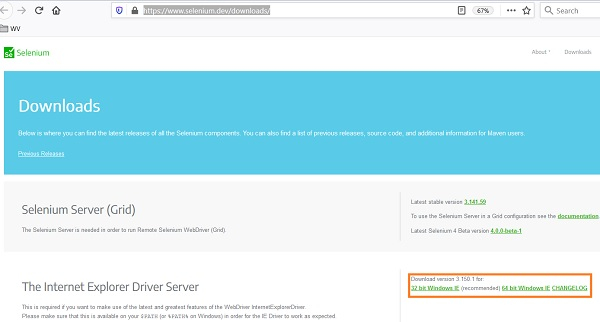
下载完成后,将创建 zip 文件。需要将其提取并保存在某个位置。提取文件后,可执行文件 IEDriverServer.exe 将可用。
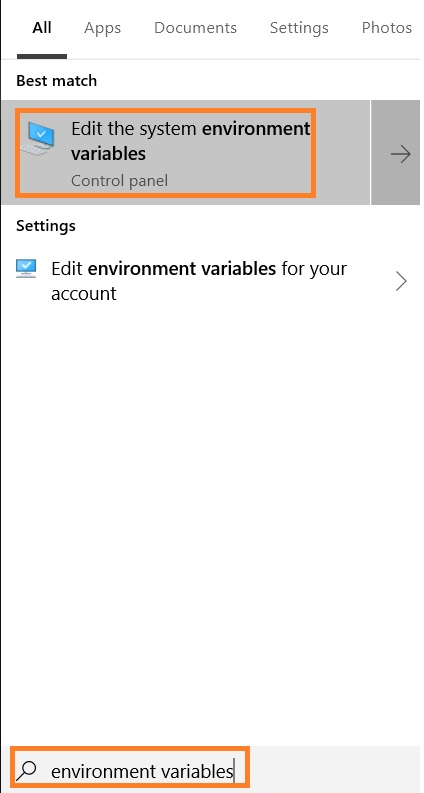
从开始菜单进入环境变量。然后,单击编辑系统环境变量,如下图所示。
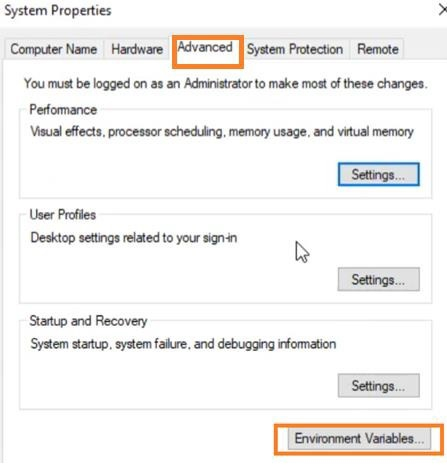
导航到系统属性弹出窗口中的高级选项卡。然后,单击环境变量。
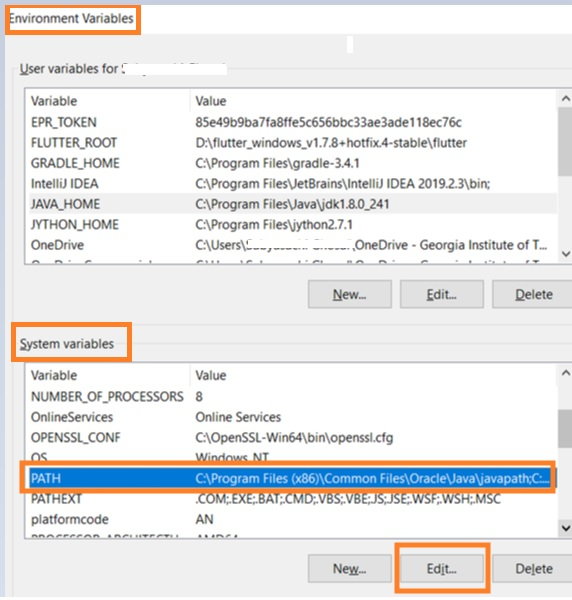
环境变量弹出窗口打开后,我们将移动到系统变量并选择路径变量,然后单击编辑。
在编辑环境变量框中,选择新建。
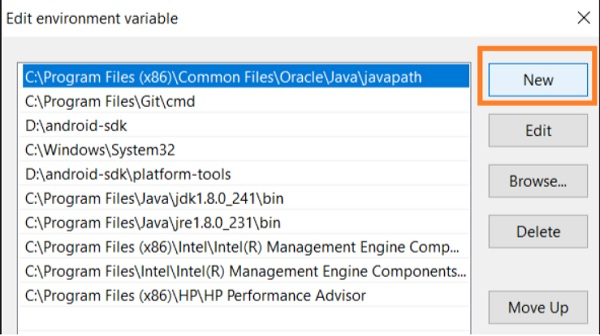
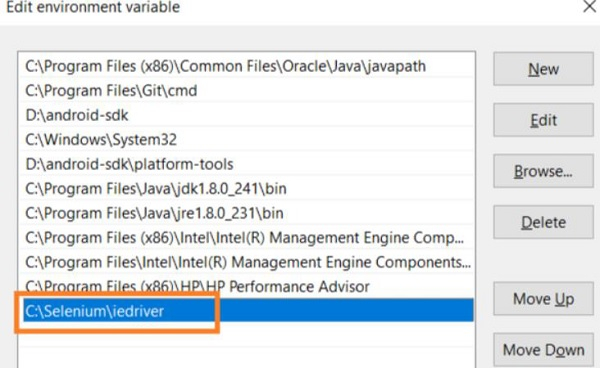
指定我们之前保存在某个位置的 IE 驱动程序可执行文件路径。
范例
import org.openqa.selenium.By;
import org.openqa.selenium.WebDriver;
import org.openqa.selenium.WebElement;
import org.openqa.selenium.ie.InternetExplorerDriver;
import java.util.concurrent.TimeUnit;
public class IELaunch{
   public static void main(String[] args) {
      WebDriver driver = new InternetExplorerDriver();
      //implicit wait
      driver.manage().timeouts().implicitlyWait(5, TimeUnit.SECONDS);
      //URL launch
      driver.get("https://tutorialspoint.com/index.htm");
   }
}
输出


更新日期:06-4 月-2021
342 次浏览

广告