
 数据结构
数据结构 网络
网络 关系型数据库管理系统
 操作系统
操作系统 Java
Java MS Excel
 iOS
iOS HTML
HTML CSS
CSS Android
 Python
 C 编程
C 编程 C++
C++ C#
C# MongoDB
 MySQL
MySQL Javascript
 PHP
PHP 物理学
物理学 化学
化学 生物学
生物学 数学
数学 英语
英语 经济学
经济学 心理学
心理学 社会科学
社会科学 时尚
时尚 法律
法律如何使用 CSS 创建下拉菜单?
以下是使用 CSS 创建下拉菜单的代码 −
示例
<!DOCTYPE html>
<html>
<head>
<meta name="viewport" content="width=device-width, initial-scale=1" />
<style>
.menu-btn {
   background-color: #7e32d4;
   color: white;
   padding: 16px;
   font-size: 20px;
   font-weight: bolder;
   font-family: 'Segoe UI', Tahoma, Geneva, Verdana, sans-serif;
   border: none;
}
.dropdown-menu {
   position: relative;
   display: inline-block;
   padding-top: 130px;
}
.menu-content {
   display: none;
   position: absolute;
   bottom: 50px;
   background-color: #017575;
   min-width: 160px;
   z-index: 1;
}
.links {
   color: rgb(255, 255, 255);
   padding: 12px 16px;
   text-decoration: none;
   display: block;
   font-size: 18px;
   font-weight: bold;
   border-bottom: 1px solid black;
}
.links:hover {
   background-color: rgb(8, 107, 46);
}
.dropdown-menu:hover .menu-content {
   display: block;
}
.dropdown-menu:hover .menu-btn {
   background-color: #3e8e41;
}
</style>
</head>
<body>
<h2>Hover over the below button to open a dropup menu</h2>
<div class="dropdown-menu">
<button class="menu-btn">Open <</button>
<div class="menu-content">
<a class="links" href="#">Contact Us</a>
<a class="links" href="#">Visit Us</a>
<a class="links" href="#">About Us</a>
</div>
</div>
</body>
</html>
输出
上述代码将生成以下输出 −
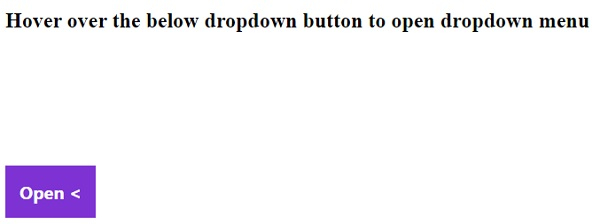
悬停在打开按钮上方 −


更新于:2020-04-06
731 个浏览

广告