
 数据结构
数据结构 网络
网络 关系数据库管理系统
 操作系统
操作系统 Java
Java MS Excel
 iOS
iOS HTML
HTML CSS
CSS Android
 Python
 C 编程
C 编程 C++
C++ C#
C# MongoDB
 MySQL
MySQL JavaScript
 PHP
PHP 物理学
物理学 化学
化学 生物学
生物学 数学
数学 英语
英语 经济学
经济学 心理学
心理学 社会科学
社会科学 时尚研究
时尚研究 法律研究
法律研究如何在 C# 中创建不存在的文件夹?
要创建目录,我们首先必须在 C# 中导入 System.IO 命名空间。该命名空间是一个库,可让你访问用于创建、复制、移动和删除目录的静态方法。
在 C# 中进行任何文件操作之前,始终建议检查目录是否存在,因为如果文件夹不存在,编译器会引发异常。
示例
using System;
using System.IO;
namespace DemoApplication {
   class Program {
      static void Main(string[] args) {
         string folderName = @"D:\Demo Folder";
         // If directory does not exist, create it
         if (!Directory.Exists(folderName)) {
            Directory.CreateDirectory(folderName);
         }
         Console.ReadLine();
      }
   }
}
以上代码将在 D: 目录中创建一个Demo文件夹。
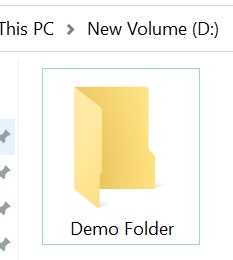
Directory.CreateDirectory 还可以用于创建子文件夹。
示例
using System;
using System.IO;
namespace DemoApplication {
   class Program {
      static void Main(string[] args) {
         string folderName = @"D:\Demo Folder\Sub Folder";
         // If directory does not exist, create it
         if (!Directory.Exists(folderName)) {
            Directory.CreateDirectory(folderName);
         }
         Console.ReadLine();
      }
   }
}
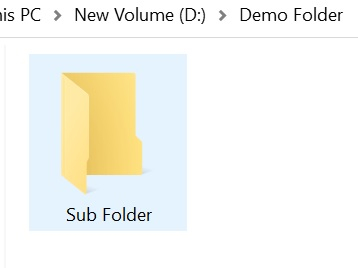
以上代码将在 D: 目录中创建一个带有子文件夹的 Demo 文件夹。

更新日期:08-Aug-2020
11K+ 浏览

广告