
 数据结构
数据结构 网络
网络 RDBMS
RDBMS 操作系统
操作系统 Java
Java MS Excel
 iOS
iOS HTML
HTML CSS
CSS Android
 Python
 C 编程
C 编程 C++
C++ C#
C# MongoDB
 MySQL
MySQL Javascript
 PHP
PHP 物理
物理 化学
化学 生物
生物 数学
数学 英语
英语 经济学
经济学 心理学
心理学 社会学
社会学 时尚
时尚 法律
法律如何使用 Java 中的文件实用程序方法创建目录?
自 Java 7 以来,引入了 File.02s 类,其中包含操作文件、目录或其他类型文件(静态)方法。
Files 类的createDirectory() 方法接受所需目录的路径并创建一个新目录。
示例
以下 Java 示例从用户那里读取要创建目录的路径和名称,并创建它。
import java.io.IOException;
import java.nio.file.Files;
import java.nio.file.Path;
import java.nio.file.Paths;
import java.util.Scanner;
public class Test {
   public static void main(String args[]) throws IOException {
      System.out.println("Enter the path to create a directory: ");
      Scanner sc = new Scanner(System.in);
      String pathStr = sc.next()
      System.out.println("Enter the name of the desired a directory: ");
      pathStr = pathStr+sc.next();
      //Creating a path object
      Path path = Paths.get(pathStr);
      //Creating a directory
      Files.createDirectory(path);
      System.out.println("Directory created successfully");
   }
}
输出
Enter the path to create a directory:
D:
Enter the name of the desired a directory:
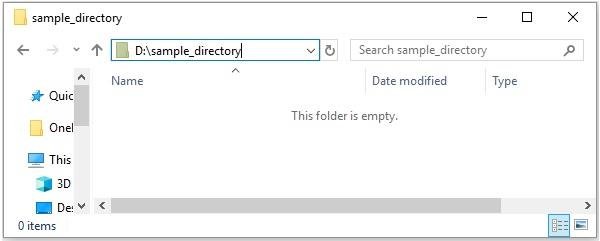
sample_directory
Directory created successfully
如果您验证,您可以看到创建的目录如下 -
createDirectories() 方法创建给定目录,包括不存在的父目录。
示例
import java.io.IOException;
import java.nio.file.Files;
import java.nio.file.Path;
import java.nio.file.Paths;
import java.util.Scanner;
public class Test {
   public static void main(String args[]) throws IOException {
      System.out.println("Enter the path to create a directory: ");
      Scanner sc = new Scanner(System.in);
      String pathStr = sc.next();
      System.out.println("Enter the name of the desired a directory: ");
      pathStr = pathStr+sc.next();
      //Creating a path object
      Path path = Paths.get(pathStr);
      //Creating a directory
      Files.createDirectories(path);
      System.out.println("Directories created successfully");
   }
}
输出
Enter the path to create a directory:
D:
Enter the name of the desired a directory:
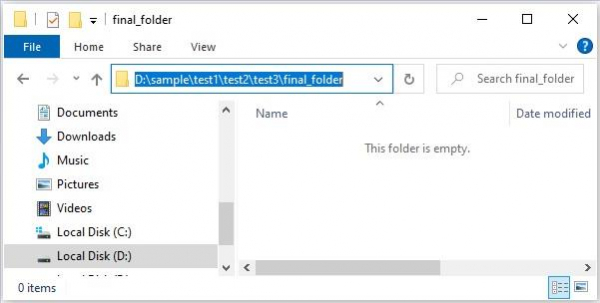
sample/test1/test2/test3/final_folder
Directory created successfully
如果您验证,您可以看到创建的目录如下 -

更新日期:2021-02-08
311次浏览

广告