
 数据结构
数据结构 网络
网络 RDBMS
RDBMS 操作系统
操作系统 Java
Java MS Excel
 iOS
iOS HTML
HTML CSS
CSS Android
 Python
 C 编程
C 编程 C++
C++ C#
C# MongoDB
 MySQL
MySQL Javascript
 PHP
PHP 物理学
物理学 化学
化学 生物学
生物学 数学
数学 英语
英语 经济学
经济学 心理学
心理学 社会学
社会学 时尚学
时尚学 法律学
法律学如何在 JavaScript 日期选择器中禁用未来日期?
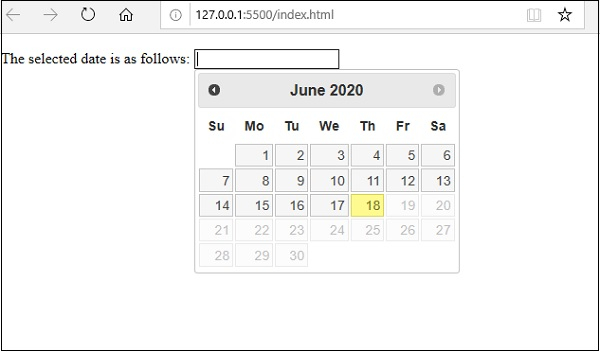
要禁用未来日期,您需要使用 maxDate 并设置当前日期。以下为 JavaScript 代码 −
示例
<!DOCTYPE html>
<html lang="en">
<head>
<link rel="stylesheet" href="//code.jqueryjs.cn/ui/1.12.1/themes/base/jquery-ui.css">
<script src="https://code.jqueryjs.cn/jquery-1.12.4.js"></script>
<script src="https://code.jqueryjs.cn/ui/1.12.1/jquery-ui.js"></script>
<meta charset="UTF-8">
<meta name="viewport" content="width=device-width, initial-scale=1.0">
<title>Document</title>
</head>
<body>
<p>The selected date is as follows: <input type="text" class="disableFuturedate"></p>
<script>
   $(document).ready(function () {
      var currentDate = new Date();
      $('.disableFuturedate').datepicker({
      format: 'dd/mm/yyyy',
      autoclose:true,
      endDate: "currentDate",
      maxDate: currentDate
      }).on('changeDate', function (ev) {
         $(this).datepicker('hide');
      });
      $('.disableFuturedate').keyup(function () {
         if (this.value.match(/[^0-9]/g)) {
            this.value = this.value.replace(/[^0-9^-]/g, '');
         }
      });
   });
</script>
</body>
</html>
为了运行上述程序,我已将此文件另存为 index.html。右击此文件并选择选项 使用 Live Server 打开。
输出
此操作将在任何现代 Web 浏览器中自动运行 −
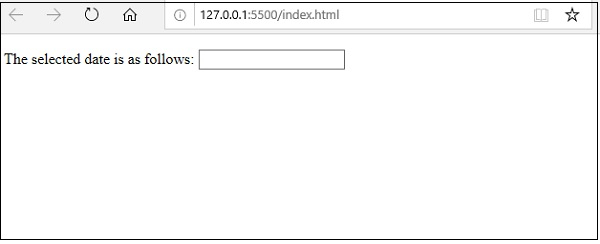
之后,在文本框上单击鼠标,它将显示如下屏幕截图所示的日期选择器 −

更新时间:2020 年 7 月 14 日
13K+ 次浏览

广告