
 数据结构
数据结构 网络
网络 RDBMS
RDBMS 操作系统
操作系统 Java
Java MS Excel
 iOS
iOS HTML
HTML CSS
CSS 安卓
安卓 Python
 C 编程
C 编程 C++
C++ C#
C# MongoDB
 MySQL
MySQL Javascript
 PHP
PHP 物理
物理 化学
化学 生物
生物 数学
数学 英语
英语 经济学
经济学 心理学
心理学 社会科学
社会科学 时装研究
时装研究 法律研究
法律研究如何使用 Java 在 OpenCV 中绘制填充的椭圆?
Java OpenCV 库的 org.opencv.imgproc 包含一个名为 Imgproc 的类,该类提供各种用于处理输入图像的方法。它提供了一组用于在图像上绘制几何图形的方法。
该类提供了一个名为 ellipse() 的方法,使用此方法可以在图像上绘制一个椭圆,该方法的一个变体允许你将线条类型指定为以下参数之一,包括:-
表示绘制椭圆的图像的 _Mat_ 对象。
一个 _RotatedRect_ 对象(椭圆绘制在刻画为该矩形内。
表示矩形颜色的 _Scalar_ 对象(BGR)。
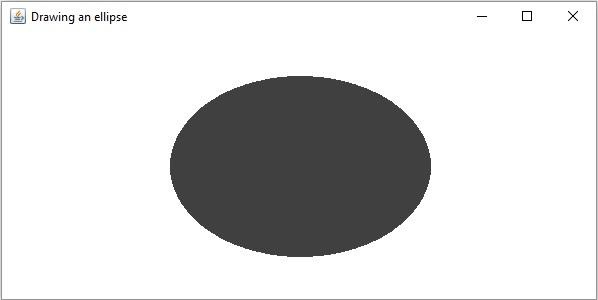
如果将 Imgproc.FILLED 作为参数传递,则该方法会生成一个填充的椭圆。
示例
import org.opencv.core.Core;
import org.opencv.core.Mat;
import org.opencv.core.Point;
import org.opencv.core.RotatedRect;
import org.opencv.core.Scalar;
import org.opencv.core.Size;
import org.opencv.highgui.HighGui;
import org.opencv.imgcodecs.Imgcodecs;
import org.opencv.imgproc.Imgproc;
public class DrawingFilledEllipse {
   public static void main(String args[]) {
      // Loading the OpenCV core library
      System.loadLibrary( Core.NATIVE_LIBRARY_NAME );
      //Loading the OpenCV core library
      System.loadLibrary( Core.NATIVE_LIBRARY_NAME );
      //Reading the source image in to a Mat object
      Mat src = Imgcodecs.imread("D:\images\blank.jpg");
      //Drawing an ellipse
      RotatedRect box = new RotatedRect(new Point(300, 200), new Size(260, 180),180);
      Scalar color = new Scalar(64, 64, 64);
      int thickness = Imgproc.FILLED;
      Imgproc.ellipse(src, box, color, thickness);
      //Saving and displaying the image
      Imgcodecs.imwrite("arrowed_line.jpg", src);
      HighGui.imshow("Drawing an ellipse", src);
      HighGui.waitKey();
   }
}
输出
在执行时,以上程序会生成以下窗口:-

更新日期:2020 年 4 月 10 日
197 次浏览

广告