
 数据结构
数据结构 网络
网络 关系型数据库管理系统
 操作系统
操作系统 Java
Java MS Excel
 iOS
iOS HTML
HTML CSS
CSS Android
 Python
 C 编程
C 编程 C++
C++ C#
C# MongoDB
 MySQL
MySQL Javascript
 PHP
PHP 物理学
物理学 化学
化学 生物学
生物学 数学
数学 英语
英语 经济学
经济学 心理学
心理学 社会学
社会学 服装设计
服装设计 法律研究
法律研究如何在 Tkinter 画布中使用方向键移动图像?
Tkinter Canvas 小部件是 Tkinter 库中用途广泛的小部件之一。它用于创建不同的形状、图像和动画对象。我们可以使用 **move()** 方法为在 Canvas 小部件中定义的图像提供动态属性。
在 **move(Image, x,y)** 方法中将图像和坐标定义为参数,以在 Canvas 中移动图像。我们全局声明图像以便跟踪 Canvas 中的图像位置。
我们可以按照以下步骤使图像在画布内可移动,
首先,定义 Canvas 小部件并在其中添加图像。
定义 **move()** 函数以允许图像在 Canvas 内动态变化。
将方向键绑定到允许图像在 Canvas 内移动的函数。
示例
# Import the required libraries
from tkinter import *
from PIL import Image, ImageTk

# Create an instance of tkinter frame
win = Tk()

# Set the size of the tkinter window
win.geometry("700x350")

# Define a Canvas widget
canvas = Canvas(win, width=600, height=400, bg="white")
canvas.pack(pady=20)

# Add Images to Canvas widget
image = ImageTk.PhotoImage(Image.open('favicon.ico'))
img = canvas.create_image(250, 120, anchor=NW, image=image)

def left(e):
   x = -20
   y = 0
   canvas.move(img, x, y)

def right(e):
   x = 20
   y = 0
   canvas.move(img, x, y)

def up(e):
   x = 0
   y = -20
   canvas.move(img, x, y)

def down(e):
   x = 0
   y = 20
   canvas.move(img, x, y)

# Bind the move function
win.bind("<Left>", left)
win.bind("<Right>", right)
win.bind("<Up>", up)
win.bind("<Down>", down)

win.mainloop()
输出
运行以上代码将显示一个窗口,其中包含一个可以使用方向键在窗口中移动的图像。
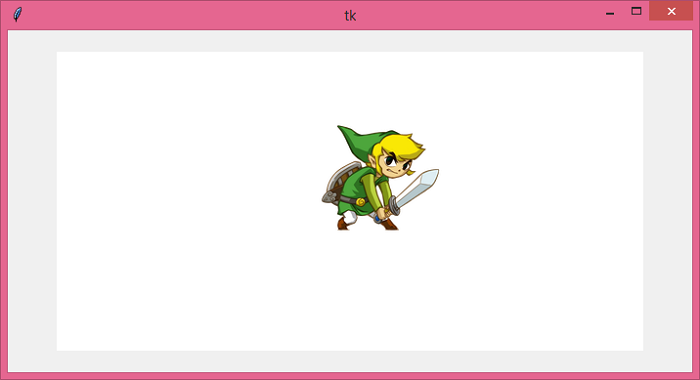
您可以使用方向键在画布上移动对象。

更新于:2021年6月18日
4K+ 浏览量

广告