
 数据结构
数据结构 网络
网络 关系型数据库管理系统
 操作系统
操作系统 Java
Java MS Excel
 iOS
iOS HTML
HTML CSS
CSS Android
 Python
 C 编程
C 编程 C++
C++ C#
C# MongoDB
 MySQL
MySQL Javascript
 PHP
PHP 物理学
物理学 化学
化学 生物学
生物学 数学
数学 英语
英语 经济学
经济学 心理学
心理学 社会研究
社会研究 时装研究
时装研究 法律研究
法律研究如何在 Tkinter 中打开多个文件名并将这些文件名添加到列表中?
要在 tkinter 应用程序中打开文件对话框,tkinter 提供了 tkfiledialog 包,该包创建一个对话框以与系统上所处的外部文件进行交互。为了使用 filedialog,我们必须首先使用以下命令导入该包,
import tkinter.filedialog as fd
要在窗口中打开资源管理器,请使用 asopenfilename(parent,title,**options) 函数。它只会提取窗口,并允许用户从资源管理器中选择文件。在打开文件后,我们可以定义一个函数来打印所有选定文件的列表。
示例
# Import the required libraries
from tkinter import *
from tkinter import ttk
import tkinter.filedialog as fd

# Create an instance of tkinter frame or window
win = Tk()

# Set the geometry of tkinter frame
win.geometry("700x350")

def open_file():
   file = fd.askopenfilenames(parent=win, title='Choose a File')
   print(win.splitlist(file))

# Add a Label widget
   label = Label(win, text="Select the Button to Open the File", font=('Aerial 11'))
label.pack(pady=30)

# Add a Button Widget
ttk.Button(win, text="Select a File", command=open_file).pack()

win.mainloop()
输出
运行上述代码后,将显示一个包含按钮和标签文本小组件的窗口。
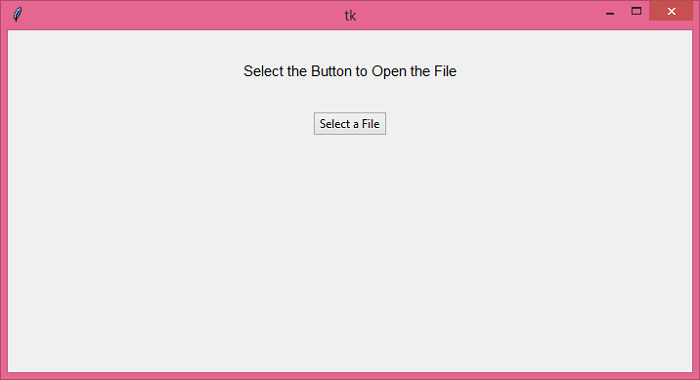
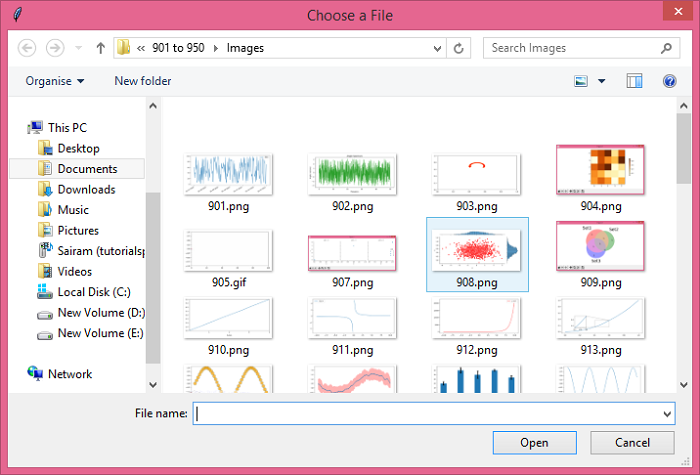
单击“选择文件”按钮,以打开对话框从资源管理器中选择文件。

更新日期: 2021-06-18
3K+ 浏览量

广告