
 数据结构
数据结构 网络
网络 关系数据库管理系统
 操作系统
操作系统 Java
Java MS Excel
 iOS
iOS HTML
HTML CSS
CSS Android
 Python
 C 编程
C 编程 C++
C++ C#
C# MongoDB
 MySQL
MySQL Javascript
 PHP
PHP 物理学
物理学 化学
化学 生物学
生物学 数学
数学 英语
英语 经济学
经济学 心理学
心理学 社会学
社会学 服装设计
服装设计 法律研究
法律研究如何使用 Scanner 类读取文件内容?
从 Java 1.5 开始引入了 Scanner 类。此类接受 File、InputStream、Path 和 String 对象,使用正则表达式逐个读取所有原始数据类型和字符串(来自给定源)。默认情况下,空格被视为分隔符(将数据分成标记)。
使用此类提供的 nextXXX() 方法读取源中的各种数据类型。
读取文件内容 -
要读取文件内容,**Scanner** 类提供了各种构造函数。
| 序号 | 构造函数及描述 |
|---|---|
| 1 | Scanner(File source) 用于读取给定 File 对象表示的文件中的数据。 |
| 2 | Scanner(InputStream source) 用于读取指定 InputStream 中的数据。 |
| 3 | Scanner(Path source) 用于读取指定文件对象表示的文件中的数据。 |
假设我们在路径 D:\ 中有一个名为 myFile.txt 的文件,如下所示 -
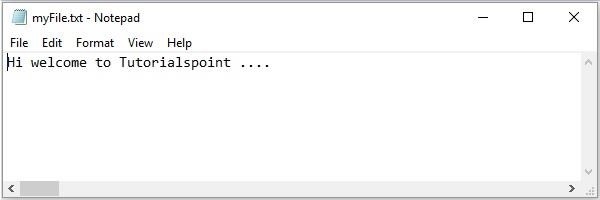
以下示例演示了如何使用上述构造函数从该文件读取数据。
示例 - 文件对象
- 创建一个表示所需文件的 File 对象。
- 通过传递上面创建的文件对象创建一个 Scanner 类。
- hasNext() 验证文件是否还有另一行,nextLine() 方法读取并返回文件中的下一行。使用这些方法读取文件内容。
import java.io.File;
import java.util.Scanner;
public class ContentsOfFile {
   public static void main(String args[]) throws Exception {
      //Creating the File object
      File file = new File("D:\MyFile.txt");
      //Creating a Scanner object
      Scanner sc = new Scanner(file);
      //StringBuffer to store the contents
      StringBuffer sb = new StringBuffer();
      //Appending each line to the buffer
      while(sc.hasNext()) {
         sb.append(" "+sc.nextLine());
      }
      System.out.println(sb);
   }
}
输出
Hi welcome to Tutorialspoint ....
示例 - 输入流对象
- 通过将所需文件的路径作为参数传递给其构造函数,创建一个 FileInputStream 对象。
- 通过传递上面创建的 FileInputStream 对象创建一个 Scanner 类。
- hasNext() 验证文件是否还有另一行,nextLine() 方法读取并返回文件中的下一行。使用这些方法读取文件内容。
import java.io.FileInputStream;
import java.io.InputStream;
import java.util.Scanner;
public class ContentsOfFile {
   public static void main(String args[]) throws Exception {
      //Creating the File object
      InputStream inputStream = new FileInputStream("D:\MyFile.txt");
      //Creating a Scanner object
      Scanner sc = new Scanner(inputStream);
      //StringBuffer to store the contents
      StringBuffer sb = new StringBuffer();
      //Appending each line to the buffer
      while(sc.hasNext()) {
         sb.append(" "+sc.nextLine());
      }
      System.out.println(sb);
   }
}
输出
Hi welcome to Tutorialspoint ....

更新于: 2019-08-01
14K+ 浏览量

广告