
 数据结构
数据结构 网络
网络 RDBMS
RDBMS 操作系统
操作系统 Java
Java MS Excel
 iOS
iOS HTML
HTML CSS
CSS Android
 Python
 C 编程
C 编程 C++
C++ C#
C# MongoDB
 MySQL
MySQL Javascript
 PHP
PHP 物理学
物理学 化学
化学 生物学
生物学 数学
数学 英语
英语 经济学
经济学 心理学
心理学 社会学
社会学 时尚研究
时尚研究 法律研究
法律研究如何在 Python 中从标签中删除文本?
Tkinter 是一个用于创建和开发基于 GUI 的应用程序的 Python 库。在本文中,我们将学习如何从标签中删除文本,该标签中有一些文本。
要从标签中删除文本,我们将创建一个关联的按钮,该按钮将充当该标签的触发器。
示例
#import Tkinter Library
from tkinter import *

#Create an instance of tkinter frame
win= Tk()

#Define the size and geometry of the frame
win.geometry("700x400")

#Create a function for the Button Comman

def remove_text():
   text.config(text=" ")

#Create a text Label
text= Label(win, text= "www.tutorialspoint.com", font= ("Poppins", 30))
text.pack(pady=20)

#Create a Button

my_button= Button(win, text= "Remove Text", command= remove_text)
my_button.pack(pady=10)

win.mainloop()
输出
运行上述代码将创建一个按钮,可用于从标签中删除文本。
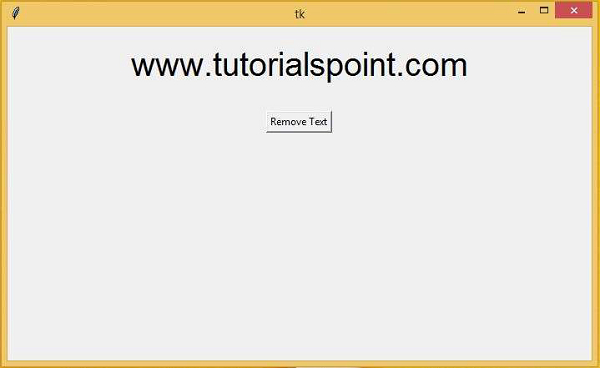
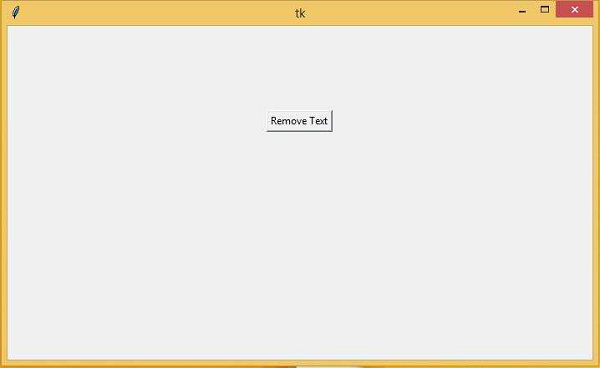
现在,单击“移除文本”按钮。它将从标签中删除文本,我们将获得以下屏幕。

更新于: 06-Mar-2021
3 千+ 浏览

广告