
 数据结构
数据结构 网络
网络 关系型数据库管理系统
 操作系统
操作系统 Java
Java MS Excel
 iOS
iOS HTML
HTML CSS
CSS Android
 Python
 C 语言编程
 C++
C++ C#
C# MongoDB
 MySQL
MySQL Javascript
 PHP
PHP 物理
物理 化学
化学 生物
生物 数学
数学 英语
英语 经济学
经济学 心理学
心理学 社会研究
社会研究 时装研究
时装研究 法律研究
法律研究如何用 JavaScript 切换隐藏和显示元素?
用 JavaScript 在隐藏和显示元素之间切换,代码如下 −
示例
<!DOCTYPE html>
<html>
<head>
<meta name="viewport" content="width=device-width, initial-scale=1" />
<style>
   body {
      font-family: "Segoe UI", Tahoma, Geneva, Verdana, sans-serif;
   }
   button {
      padding: 10px;
      border: none;
      background-color: rgb(51, 51, 192);
      color: white;
      font-size: 18px;
   }
   .div-visible {
      width: 100%;
      padding: 50px 0;
      text-align: center;
      background-color: rgb(210, 230, 173);
      margin-top: 20px;
      font-size: 18px;
      font-weight: 500;
   }
</style>
</head>
<body>
<h1>Toggle hide and show example</h1>
<button class="toggleDisplay">Hide Div</button>
<h2>Click on the above button to hide the div below</h2>
<div class="div-visible">
This is a div element
</div>
<script>
   document .querySelector(".toggleDisplay") .addEventListener("click", toggleDivDisplay);
   function toggleDivDisplay() {
      var x = document.querySelector(".div-visible");
      if (x.style.display === "none") {
         x.style.display = "block";
      } else {
         x.style.display = "none";
      }
   }
</script>
</body>
</html>
输出
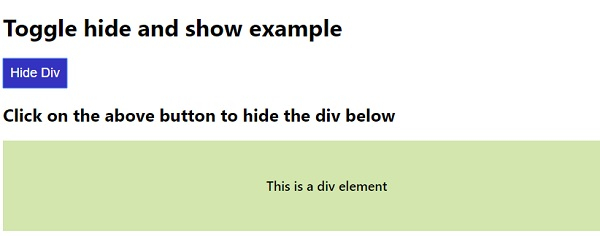
以上代码将产生以下输出 −
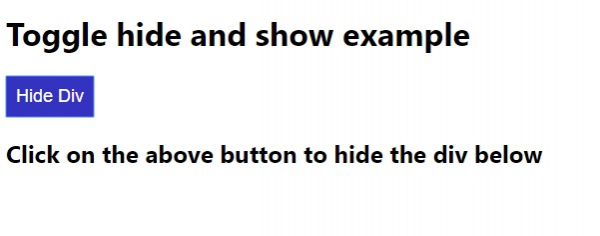
在单击“隐藏 Div”按钮时 −

更新于: 08-05-2020
826 次观看

广告