
 数据结构
数据结构 网络
网络 关系数据库管理系统 (RDBMS)
 操作系统
操作系统 Java
Java MS Excel
 iOS
iOS HTML
HTML CSS
CSS Android
 Python
 C语言编程
C语言编程 C++
C++ C#
C# MongoDB
 MySQL
MySQL Javascript
 PHP
PHP 物理学
物理学 化学
化学 生物学
生物学 数学
数学 英语
英语 经济学
经济学 心理学
心理学 社会学
社会学 服装设计
服装设计 法学
法学如何使用JavaScript替换字符串的一部分为另一个值?
在本文中,我们将探讨如何使用JavaScript替换字符串的一部分为另一个值。我们可以通过多种方式替换字符串部分。以下是一些常用的方法:
replace() 方法
split() 方法
join() 方法
让我们详细讨论以上方法。
replace() 方法
这是JavaScript提供的一个内置方法,允许用户将字符串的一部分替换为另一个字符串或正则表达式。但是,原始字符串将保持不变。
语法
string.replace(searchvalue, newvalue)
参数
searchvalue - 用于在整个字符串中搜索字符串。
newvalue - 将替换搜索到的字符串。
该函数将返回一个新的字符串作为此方法的输出。
示例1
在下面的示例中,我们将使用JavaScript replace() 方法将“Hi”替换为“Welcome To”。
# index.html
<html>
<head>
   <title>Replacing String</title>
</head>
<body>
   <h1 style="color: green;">
      Welcome To Tutorials Point
   </h1>
   <script>
      let string = "Hi Tutorials Point";
      /* It will search for Hi and then replace it with the another string */
      let replaced_string = string.replace("Hi", "Welcome To");
      document.write('<h4>The original string is:</h4>' +string);
      document.write('<h4>The replaced string is:</h4>' +replaced_string);
   </script>
</body>
</html>
输出
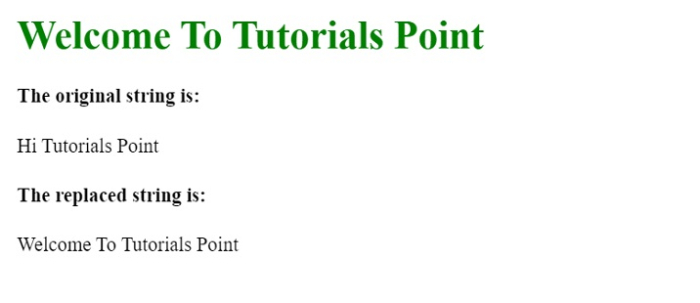
split() 方法
我们还可以使用split() 方法将字符串拆分为子字符串数组。一旦字符串转换为数组,我们就可以将每个字符串与要搜索的字符串进行比较。找到字符串后,我们将用新字符串替换它。字符串split() 方法接受一个分隔符,我们将用它来分割字符串。
string.split(separator,limit)
join() 方法
join() 方法用于连接数组元素并将其作为字符串返回。此方法只有一个可选参数。
array.join(separator)
示例2
# index.html
<html>
<head>
   <title>Replacing String</title>
</head>
<body>
   <h1 style="color: green;">
      Welcome To Tutorials Point
   </h1>
   <script>
      let string = "Start Learning the latest technologies courses now.";
      let replaced_string = string.split("technologies").join("java");
      document.write("<h4>The replaced string is: </h4> " + replaced_string);
      document.write("<h4>The original string is: </h4>" + string);
   </script>
</body>
</html>
输出
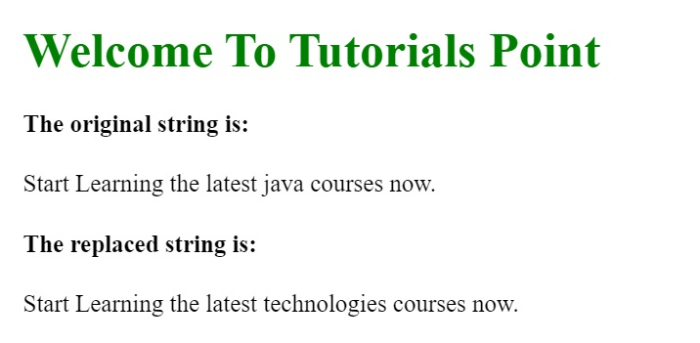

更新于:2022年4月26日
831 次浏览

广告