
 数据结构
数据结构 网络
网络 RDBMS
RDBMS 操作系统
操作系统 Java
Java MS Excel
 iOS
iOS HTML
HTML CSS
CSS Android
 Python
 C 编程
C 编程 C++
C++ C#
C# MongoDB
 MySQL
MySQL Javascript
 PHP
PHP 物理学
物理学 化学
化学 生物学
生物学 数学
数学 英语
英语 经济学
经济学 心理学
心理学 社会学
社会学 时装研究
时装研究 法律研究
法律研究HTML DOM UiEvent 对象
HTML DOM UiEvent 对象表示用户与 HTML 元素交互时产生的事件。
在此,“UiEvent” 可以具有以下属性和方法 −
| 属性/方法 | 描述 |
|---|---|
| detail | 以数字的形式返回有关事件的详细信息 |
| view | 返回发生事件的 Window 对象的引用 |
让我们看一个Event detail属性的示例 −
示例
<!DOCTYPE html>
<html>
<head>
<title>HTML DOM UiEvent detail</title>
<style>
   form {
      width:70%;
      margin: 0 auto;
      text-align: center;
   }
   * {
      padding: 2px;
      margin:5px;
   }
   input[type="button"] {
      border-radius: 10px;
   }
   #playArea {
      display: inline-block;
      border-radius: 50%;
      background-color: #DC3545;
      width: 50px;
      height: 50px;
      border: 3px solid #AC3509;
   }
   #clickOn {
      border: 3px solid #F0FF33;
      margin: 15px auto;
      border-radius: 50%;
      background-color: #FFF933;
      width: 10px;
      height: 10px;
   }
   h2 {
      display: inline-block;
   }
</style>
</head>
<body>
   <form>
      <fieldset>
         <legend>HTML-DOM-UiEvent-detail</legend>
         <h2 id="highScore">High Score: 0</h2>
         <h2 id="currScore">Current Score: 0</h2><br>
         <div id="playArea"><div onclick="getHighScore(event)" id="clickOn"></div></div><br>
      </fieldset>
   </form>
<script>
   var clickOn = document.getElementById("clickOn");
   var playDisplay = document.getElementById("playArea");
   var highScore = document.getElementById("highScore");
   var currScore = document.getElementById("currScore");
   var high = 0, score = 0;
   function getHighScore(event) {
      var score = event.detail;
      currScore.textContent = 'Current Score: '+score;
         if(score > high){
            highScore.textContent = 'High Score: '+score;
            high = score;
         }
   }
</script>
</body>
</html>
输出
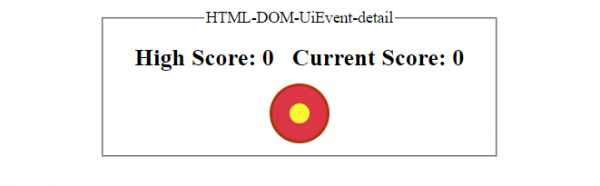
在点击黄色 div 元素之前 −
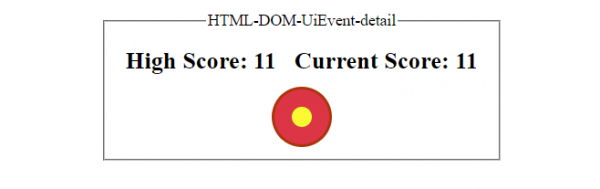
在持续点击黄色 div 元素之后 −
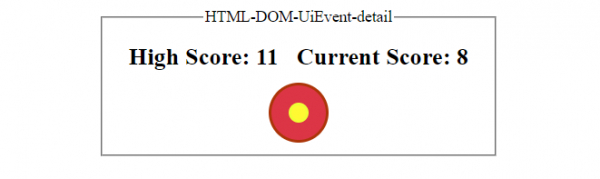
在持续点击黄色 div 元素,但时间少于之前 −

更新于: 2019 年 10 月 30 日
29 次浏览

广告