
 数据结构
数据结构 网络
网络 RDBMS
RDBMS 操作系统
操作系统 Java
Java MS Excel
 iOS
iOS HTML
HTML CSS
CSS Android
 Python
 C 编程
C 编程 C++
C++ C#
C# MongoDB
 MySQL
MySQL Javascript
 PHP
PHP 物理
物理 化学
化学 生物
生物 数学
数学 英语
英语 经济学
经济学 心理学
心理学 社会研究
社会研究 时尚研究
时尚研究 法律研究
法律研究JavaScript 光标属性
鼠标属性设置或返回将为鼠标属性显示的光标类型。
以下是实现 JavaScript 光标属性的代码 −
示例
<!DOCTYPE html>
<html>
<head>
<style>
   body {
      font-family: "Segoe UI", Tahoma, Geneva, Verdana, sans-serif;
   }
</style>
</head>
<body>
<h1>JavaScript Cursor property</h1>
<p class="sample"></p>
<h3>
Hover the mouse over the above paragraph after clicking the below button
</h3>
<button class="Btn">Change Cursor</button>
<script>
   let sampleEle = document.querySelector(".sample");
   document.querySelector(".Btn").addEventListener("click", () => {
      sampleEle.style.cursor = "crosshair";
});
</script>
</body>
</html>
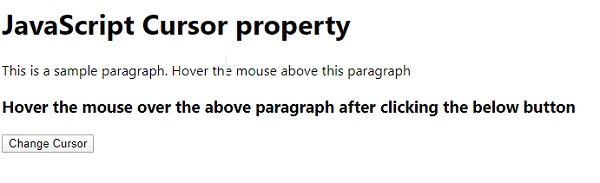
输出

单击“更改光标”按钮 −

更新于:08 年 5 月 2020 日
137 人浏览过

广告