
- RequireJS 教程
- RequireJS - 首页
- RequireJS - 概述
- RequireJS - 环境设置
- RequireJS - 配置
- RequireJS - AMD 模块
- RequireJS - 定义函数
- RequireJS - 优化器
- RequireJS - jQuery
- RequireJS - NodeJS
- RequireJS - Dojo
- RequireJS - CommonJS
- RequireJS - 插件
- RequireJS 有用资源
- RequireJS - 快速指南
- RequireJS - 有用资源
- RequireJS - 讨论
RequireJS - 从 CDN 加载 jQuery
jQuery 使用 CDN(内容分发网络)通过调用 define() 函数定义 jQuery 插件的依赖项。
加载 jQuery
define(["jquery", "jquery.load_js1", "jquery.load_js2"], function($) {
   $(function() {
      //code here
   });
});
示例
以下示例使用 CDN 定义 jQuery 插件的依赖项。创建一个名为 index.html 的 html 文件,并将以下代码放入其中 −
<!DOCTYPE html>
<html>
   <head>
      <title>Load jQuery from a CDN</title>
      <script data-main = "app" src = "lib/require.js"></script>
   </head>

   <body>
      <h2>Load jQuery from a CDN</h2>
      <p>Welcome to Tutorialspoint!!!</p>
   </body>
</html>
创建一个名为 app.js 的 js 文件,并在其中添加以下代码 −
// you can configure loading modules from the lib directory
requirejs.config ({
   "baseUrl": "lib",

   "paths": {
      "app": "../app",

      //loading jquery from CDN
      "jquery": "//ajax.googleapis.ac.cn/ajax/libs/jquery/2.0.0/jquery.min"
   }
});

//to start the application, load the main module from app folder
requirejs(["app/main"]);
创建一个名为 app 的文件夹,并从该文件夹加载 main.js 模块 −
define(["jquery", "jquery.load_js1", "jquery.load_js2"], function($) {

   //loading the jquery.load_js1.js and jquery.load_js2.js plugins
   $(function() {
      $('body').load_js1().load_js2();
   });
});
再创建一个名为 lib 的文件夹以存储 require.js 文件和其他 js 文件,如下所示 −
lib/jquery.load_js1.js
define(["jquery"], function($) {

   $.fn.load_js1 = function() {
      return this.append('<p>Loading from first js file!</p>');
   };
});
lib/jquery.load_js2.js
define(["jquery"], function($) {

   $.fn.load_js2 = function() {
      return this.append('<p>Loading from second js file!</p>');
   };
});
输出
在浏览器中打开 HTML 文件;您将收到以下输出 −
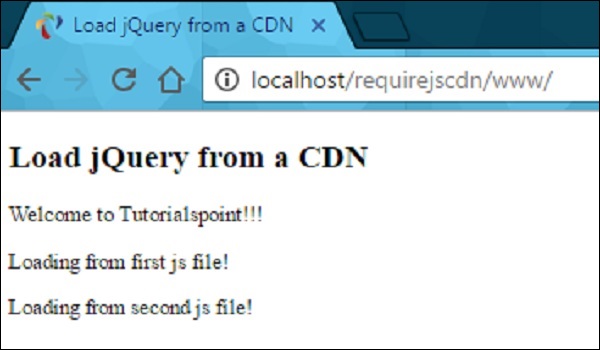
requirejs_jquery.htm


广告