
 数据结构
数据结构 网络
网络 关系数据库管理系统 (RDBMS)
 操作系统
操作系统 Java
Java MS Excel
 iOS
iOS HTML
HTML CSS
CSS Android
 Python
 C语言编程
C语言编程 C++
C++ C#
C# MongoDB
 MySQL
MySQL Javascript
 PHP
PHP 物理
物理 化学
化学 生物
生物 数学
数学 英语
英语 经济学
经济学 心理学
心理学 社会学
社会学 时尚研究
时尚研究 法律研究
法律研究使用Python在Selenium中运行Javascript。
我们可以使用Python在Selenium webdriver中运行Javascript。文档对象模型 (DOM) 通过Javascript与页面上的元素进行通信。Selenium借助**execute_script**方法执行Javascript命令。要执行的命令作为参数传递给该方法。
一些操作,例如页面向下滚动,无法直接通过Selenium方法执行。这可以通过**Javascript执行器**来实现。**window.scrollTo**方法用于执行滚动操作。沿x轴水平滚动的像素和沿y轴垂直滚动的像素作为参数传递给该方法。
语法
driver.execute_script("window.scrollTo(0,document.body.scrollHeight);")示例
滚动到页面底部的代码实现
from selenium import webdriver
driver = webdriver.Chrome(executable_path="C:\chromedriver.exe")
driver.implicitly_wait(0.5)
driver.get("https://tutorialspoint.com/tutor_connect/index.php")
# to scroll till page bottom
driver.execute_script("window.scrollTo(0,document.body.scrollHeight);")
我们还可以使用Selenium中的Javascript执行器执行诸如单击链接之类的Web操作。我们将使用**execute_script**方法,并将**argument index.click()**和要单击的**webelement**作为参数传递给该方法。
语法
s = driver.find_element_by_css_selector("#id")
driver.execute_script("arguments[0].click();",s)
示例
执行诸如单击之类的Web操作的代码实现。
from selenium import webdriver
driver = webdriver.Chrome(executable_path="C:\chromedriver.exe")
driver.implicitly_wait(0.5)
driver.get("https://tutorialspoint.com/index.htm")
# to identify element and then click
s = driver.find_element_by_xpath("//*[text()='Library']")
# perform click with execute_script method
driver.execute_script("arguments[0].click();",s)
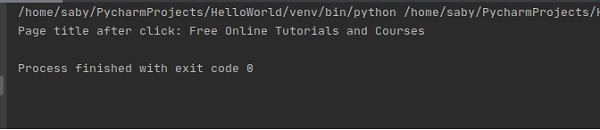
print("Page title after click: " + driver.title)
输出

更新于:2020年10月26日
659 次浏览

广告