
- Apache POI Word 教程
- Apache POI Word - 首页
- Apache POI Word - 概述
- Apache POI Word - 安装
- Apache POI Word - 核心类
- Apache POI Word - 文档
- Apache POI Word - 段落
- Apache POI Word - 边框
- Apache POI Word - 表格
- Apache POI Word - 字体和对齐
- Apache POI Word - 文本提取
- Apache POI Word 资源
- Apache POI Word - 快速指南
- Apache POI Word - 有用资源
- Apache POI Word - 讨论
Apache POI Word - 段落
在本章中,你将学习如何使用 Java 创建段落,以及如何将其添加到文档中。段落是 Word 文件中页面的一部分。
完成本章后,你将能够创建段落并在其上执行读取操作。
创建段落
首先,让我们使用前面章节中讨论的引用类创建段落。按照上一章的做法,先创建一个文档,然后我们就可以创建段落了。
以下代码片段用于创建电子表格 -
//Create Blank document
XWPFDocument document = new XWPFDocument();

//Create a blank spreadsheet
XWPFParagraph paragraph = document.createParagraph();
在段落上运行
你可以使用Run输入文本或任何对象元素。使用段落实例,你可以创建run。
以下代码片段用于创建一个 Run。
XWPFRun run = paragraph.createRun();
写入段落
我们尝试向某个文档中输入一些文本。考虑以下文本数据 -
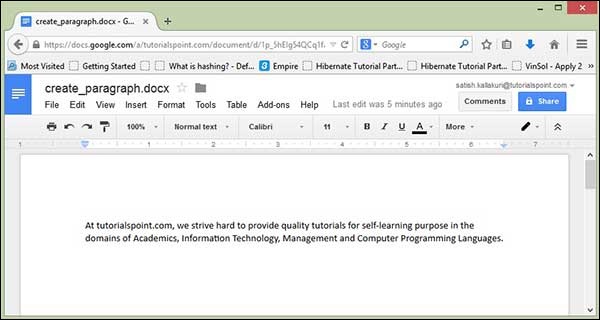
At tutorialspoint.com, we strive hard to provide quality tutorials for self-learning purpose
in the domains of Academics, Information Technology, Management and Computer Programming Languages.
以下代码用于将上述数据写入段落。
import java.io.File;
import java.io.FileOutputStream;
import org.apache.poi.xwpf.usermodel.XWPFDocument;
import org.apache.poi.xwpf.usermodel.XWPFParagraph;
import org.apache.poi.xwpf.usermodel.XWPFRun;

public class CreateParagraph {
   public static void main(String[] args)throws Exception {
      //Blank Document
      XWPFDocument document = new XWPFDocument();

      //Write the Document in file system
      FileOutputStream out = new FileOutputStream(new File("createparagraph.docx"));

      //create Paragraph
      XWPFParagraph paragraph = document.createParagraph();
      XWPFRun run = paragraph.createRun();
      run.setText("At tutorialspoint.com, we strive hard to " +
         "provide quality tutorials for self-learning " +
         "purpose in the domains of Academics, Information " +
         "Technology, Management and Computer Programming Languages.");

      document.write(out);
      out.close();
      System.out.println("createparagraph.docx written successfully");
   }
}
将上面的 Java 代码保存为CreateParagraph.java,然后从命令行通过以下方式对其进行编译并运行 -
$javac CreateParagraph.java
$java CreateParagraph
它将编译并执行,在你的当前目录中生成名为createparagraph.docx的 Word 文件,并且你将在命令行中获得以下输出 -
createparagraph.docx written successfully
createparagraph.docx文件如下所示。
广告