
 数据结构
数据结构 网络
网络 RDBMS
RDBMS 操作系统
操作系统 Java
Java MS Excel
 iOS
iOS HTML
HTML CSS
CSS Android
 Python
 C 编程
C 编程 C++
C++ C#
C# MongoDB
 MySQL
MySQL Javascript
 PHP
PHP 物理学
物理学 化学
化学 生物学
生物学 数学
数学 英语
英语 经济学
经济学 心理学
心理学 社会学
社会学 时尚学
时尚学 法学
法学C# 和 Selenium:等到元素出现
使用明确等待,我们可以在 Selenium webdriver 中等待一个元素出现。它主要用于当某个元素的同步问题现身页面时。
WebDriverWait 和 ExpectedCondition 类用于明确等待的实现。我们必须创建一个 WebDriverWait 对象,它将调用 ExpectedCondition 类的函数。
webdriver 会等待特定的时间,以满足预期条件。时间流逝后,将抛出异常。为了等待一个元素出现,我们必须使用预期条件 - ElementExists。
语法
WebDriverWait w = new WebDriverWait(driver, TimeSpan.FromSeconds(20));
w.Until(ExpectedConditions.ElementExists(By.TagName("h1")));
让我们尝试等待文本 - 在 Tutorials Point 查看职业生涯 - 出现在页面上 −

示例
using NUnit.Framework;
using OpenQA.Selenium;
using OpenQA.Selenium.Firefox;
using System;
using OpenQA.Selenium;
using OpenQA.Selenium.Support.UI;
namespace NUnitTestProject2{
   public class Tests{
      String url ="https://tutorialspoint.com/about/about_careers.htm";
      IWebDriver driver;
      [SetUp]
      public void Setup(){
         //creating object of FirefoxDriver
         driver = new FirefoxDriver("");
      }
      [Test]
      public void Test2(){
         //URL launch
         driver.Navigate().GoToUrl(url);
         //identify element then click
         IWebElement l = driver.FindElement(By.XPath("//*[text()='Careers']"));
         l.Click();
         //expected condition of ElementExists
         WebDriverWait w = new WebDriverWait(driver, TimeSpan.FromSeconds(20));
         w.Until(ExpectedConditions.ElementExists(By.TagName("h1")));
         //identify element then obtain text
         IWebElement m = driver.FindElement(By.TagName("h1"));
         Console.WriteLine("Element text is: " + m.Text);
      }
      [TearDown]
      public void close_Browser(){
         driver.Quit();
      }
   }
}
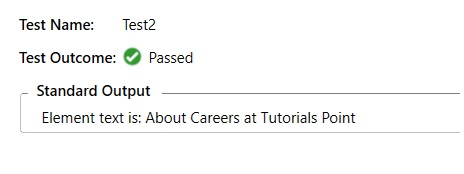
输出

更新于:07-04-2021
6000+ 浏览

广告