
 数据结构
数据结构 网络
网络 关系型数据库管理系统
 操作系统
操作系统 Java
Java MS Excel
 iOS
iOS HTML
HTML CSS
CSS Android
 Python
 C 编程
C 编程 C++
C++ C#
C# MongoDB
 MySQL
MySQL Javascript
 PHP
PHP 物理
物理 化学
化学 生物
生物 数学
数学 英语
英语 经济学
经济学 心理学
心理学 社会学
社会学 服装设计
服装设计 法律研究
法律研究Tkinter 中 Widget 的 .pack 和 .configure 方法的区别
我们使用各种几何管理器将小部件放置在 tkinter 窗口上。几何管理器告诉应用程序在窗口中在哪里以及如何组织小部件。使用几何管理器,您可以配置应用程序窗口中小部件的大小和坐标。
pack() 方法是 tkinter 中三种几何管理器之一。其他几何管理器是 grid() 和 place()。pack() 几何管理器通常用于提供填充并提供一种在窗口中排列小部件的方法。
要显式配置定义后小部件的属性,可以使用 configure() 方法。configure() 方法还用于配置小部件属性,包括调整大小和排列属性。
示例
在下面的示例中,我们创建了一个 Label 小部件和一个 Button 小部件。可以使用 pack() 和 configure() 方法有效地配置这两个小部件的属性。
# Import required libraries
from tkinter import *

# Create an instance of tkinter frame or window
win = Tk()

# Set the size of the window
win.geometry("700x350")

# Define a function
def close_win():
   win.destroy()

# Create a label
my_label=Label(win, text="Hey Everyone!", font=('Arial 14 bold'))
my_label.pack(pady= 30)

# Create a button
button= Button(win, text="Close")
button.pack()

# Configure the label properties
my_label.configure(bg="black", fg="white")
button.configure(font= ('Monospace 14 bold'), command=close_win)

win.mainloop()
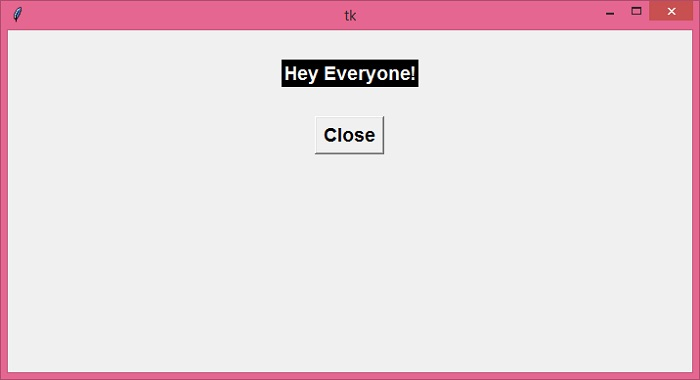
输出
运行以上代码将显示一个包含 Button 和 Label 小部件的窗口。您可以通过操作 configure() 方法中的值来配置这些小部件的属性。

更新于: 2021年12月22日
1K+ 次浏览

广告