
 数据结构
数据结构 网络技术
网络技术 关系型数据库管理系统
 操作系统
操作系统 Java
Java MS Excel
 iOS
iOS HTML
HTML CSS
CSS Android
 Python
 C 编程
C 编程 C++
C++ C#
C# MongoDB
 MySQL
MySQL Javascript
 PHP
PHP 物理学
物理学 化学
化学 生物学
生物学 数学
数学 英语
英语 经济学
经济学 心理学
心理学 社会学科
社会学科 时尚研究
时尚研究 法律研究
法律研究JavaScript 中的粗箭头函数与精简箭头函数
简洁的箭头函数对于单行函数来说是一种更加直线型的粗箭头函数形式。如果函数主体只有一行代码,那么就不需要使用大括号 {} 表示函数主体,因为简洁的箭头函数具有隐式返回功能。此外,如果只有一个参数,那么可以不带括号 () 来编写,但如果没有参数,则需要括号。
语法
粗箭头函数 −
let add = (a,b) =>{return a+b;}简洁的箭头函数
let add = (a,b)=>a+b;
如果只有一个参数 −
let add = a=>a+22;
以下是 JavaScript 中粗箭头函数与简洁箭头函数的代码 −
示例
<!DOCTYPE html>
<html lang="en">
<head>
<meta charset="UTF-8" />
<meta name="viewport" content="width=device-width, initial-scale=1.0" />
<title>Document</title>
<style>
   body {
      font-family: "Segoe UI", Tahoma, Geneva, Verdana, sans-serif;
   }
   .result {
      font-size: 20px;
      font-weight: 500;
      color: blueviolet;
   }
</style>
</head>
<body>
<h1>Fat vs concise arrow functions</h1>
<div class="result"></div>
<button class="Btn">CLICK HERE</button>
<h3>Click on the above button to call the add() and multiply() arrow function</h3>
<script>
   let resEle = document.querySelector(".result");
   let add = (a, b) => a + b;
   let multiply = (a, b) => {
      return a * b;
   };
   document.querySelector(".Btn").addEventListener("click", () => {
      resEle.innerHTML = "Sum of 32 and 19 = " + add(32, 19) + "<br>";
      resEle.innerHTML =
      "Multiplication of 32 and 19 = " + multiply(32, 19) + "<br>";
   });
</script>
</body>
</html>
输出
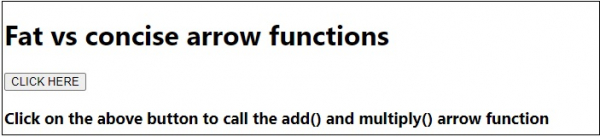
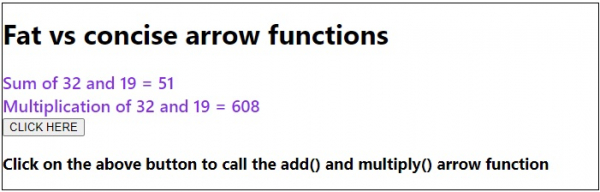
单击“点击此处”按钮 −

更新于:2020 年 7 月 17 日
177 次浏览

广告