
 数据结构
数据结构 网络
网络 RDBMS
RDBMS 操作系统
操作系统 Java
Java MS Excel
 iOS
iOS HTML
HTML CSS
CSS Android
 Python
 C 编程
C 编程 C++
C++ C#
C# MongoDB
 MySQL
MySQL Javascript
 PHP
PHP 物理
物理 化学
化学 生物
生物 数学
数学 英语
英语 经济学
经济学 心理学
心理学 社会研究
社会研究 时尚研究
时尚研究 法律研究
法律研究如何在操作系统工具栏中更改 Tkinter 的默认标题?
Tkinter 应用程序窗口包含许多组件:窗口大小、标题、导航栏、菜单栏组件等。若要配置窗口属性,我们可以使用 Tcl/Tk 中定义的窗口管理器工具包。
若要运行窗口管理器属性,请将命令 'wm' 与其他关键字一起使用。可以使用 wm_title("title") 或 title("title") 方法来配置窗口的标题。
示例
# Import the required libraries
from tkinter import *

# Create an instance of tkinter frame or window
win=Tk()

# Set the size of the window
win.geometry("700x350")

# Change the title of the window
win.wm_title("My Window")

Label(win, text="Hello, Welcome to Tutorialspoint...", font=('Calibri 24')).pack()

win.mainloop()
输出
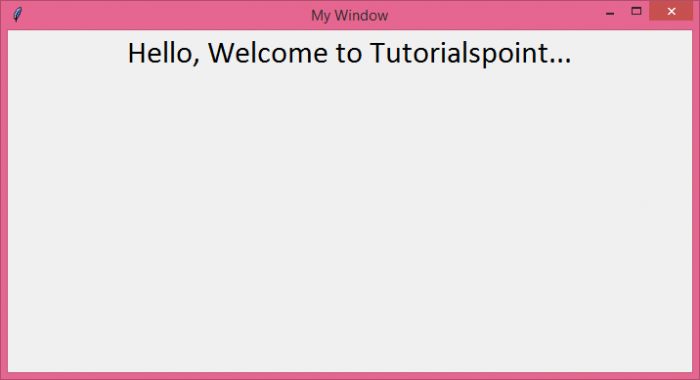
如果我们运行上述代码,则将显示一个标题为“我的窗口”的窗口。

更新日期:2021 年 8 月 5 日
753 次浏览

广告