
 数据结构
数据结构 网络
网络 RDBMS
RDBMS 操作系统
操作系统 Java
Java MS Excel
 iOS
iOS HTML
HTML CSS
CSS Android
 Python
 C 编程
C 编程 C++
C++ C#
C# MongoDB
 MySQL
MySQL Javascript
 PHP
PHP 物理学
物理学 化学
化学 生物学
生物学 数学
数学 英语
英语 经济学
经济学 心理学
心理学 社会科学
社会科学 时尚研究
时尚研究 法律研究
法律研究如何在 Tkinter 中显示工具提示?
在需要在悬停在一个按钮上时显示一些信息时,工具提示很有用。
为了创建和显示一个工具提示,可以使用 Tkinter 的 Balloon 属性。
示例
#Import the tkinter library
from tkinter import *
from tkinter.tix import *

#Create an instance of tkinter frame
win = Tk()
#Set the geometry
win.geometry("600x450")

#Create a tooltip
tip = Balloon(win)

#Create a Button widget
my_button=Button(win, text= "Hover Me")
my_button.pack(pady=20)

#Bind the tooltip with button
tip.bind_widget(my_button,balloonmsg="www.tutorialspoint.com")

win.mainloop()
输出
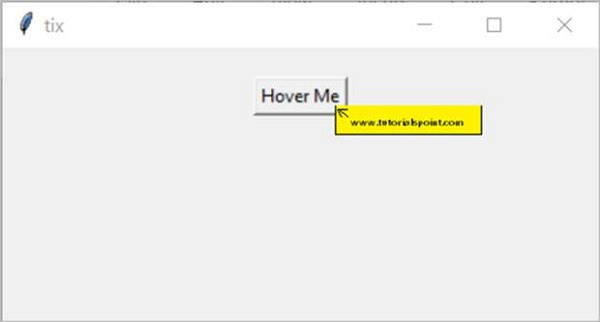
上面的代码将显示一个带有“将鼠标悬停”按钮的窗口。当用户悬停在按钮上时,将显示一个工具提示文本。

更新于: 2021 年 3 月 27 日
3K+ 查看

广告