
 数据结构
数据结构 网络
网络 关系型数据库管理系统(RDBMS)
 操作系统
操作系统 Java
Java MS Excel
 iOS
iOS HTML
HTML CSS
CSS Android
 Python
 C 编程
C 编程 C++
C++ C#
C# MongoDB
 MySQL
MySQL Javascript
 PHP
PHP 物理
物理 化学
化学 生物
生物 数学
数学 英语
英语 经济学
经济学 心理学
心理学 社会研究
社会研究 时尚研究
时尚研究 法学研究
法学研究我应该如何同时使用 PIL 和 Tkinter?
Python 中的 PIL 或 Pillow 包提供了一种在程序中处理图像的方法。我们可以打开一张图片,对图片进行不同的处理,并且可以用它来可视化数据。若要在 Tkinter 中使用 PIL 包,你必须在环境中安装 Python Pillow 库。
要安装 Pillow,只需输入pip install pillow。一旦安装成功,你就可以将模块导入到你的项目中,并用于进一步实现。
示例
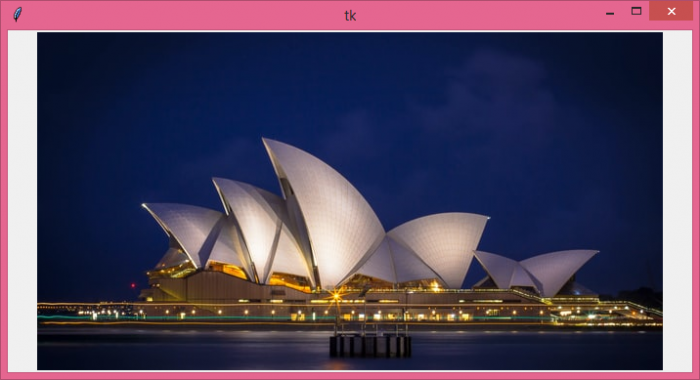
在这个示例中,我们使用 Python Pillow 包在画布组件中显示了一幅图像。
# Import the required libraries
from tkinter import *
from PIL import Image, ImageTk

# Create an instance of tkinter frame or window
win=Tk()

# Set the size of the window
win.geometry("700x350")

# Create a canvas widget
canvas=Canvas(win, width=700, height=350)
canvas.pack()

# Load the image
img=ImageTk.PhotoImage(file="opera.jpg")

# Add the image in the canvas
canvas.create_image(350, 200, image=img, anchor="center")

win.mainloop()
输出
如果我们运行上面的代码,它将在窗口中显示一张图片。

更新于: 05-Aug-2021
3K+ 浏览量

广告