
 数据结构
数据结构 网络
网络 RDBMS
RDBMS 操作系统
操作系统 Java
Java MS Excel
 iOS
iOS HTML
HTML CSS
CSS Android
 Python
 C 语言编程
 C++
C++ C#
C# MongoDB
 MySQL
MySQL JavaScript
 PHP
PHP 物理
物理 化学
化学 生物
生物 数学
数学 英语
英语 经济学
经济学 心理学
心理学 社会学
社会学 时尚研究
时尚研究 法律研究
法律研究如何在 Tkinter 中使用窗口管理器 (wm) 属性?
窗口管理器是 Tcl/Tk 中提供的一个工具包,可以使用命令 'wm' 访问。'wm' 命令允许你设置 Tkinter 窗口的外观和几何形状。我们可以使用这个命令来控制标题、颜色、大小和其他属性。'wm' 命令有许多关键字,可用于修改其属性。
示例
# Import the required library
from tkinter import *
from tkinter import ttk
from tkinter import messagebox

# Create an instance of tkinter frame
win=Tk()

# Set the geometry
win.geometry("700x350")

Label(win, text="This window is disabled.",
   font=("Calibri, 24")).pack()

# Makes the window topmost
win.wm_attributes('-topmost', True)

# Makes the window transparent
win.wm_attributes('-alpha', 0.9)

# Disable the window
win.wm_attributes('-disabled', True)

# Set the geometry of the window
win.wm_geometry('700x350')

win.mainloop()
输出
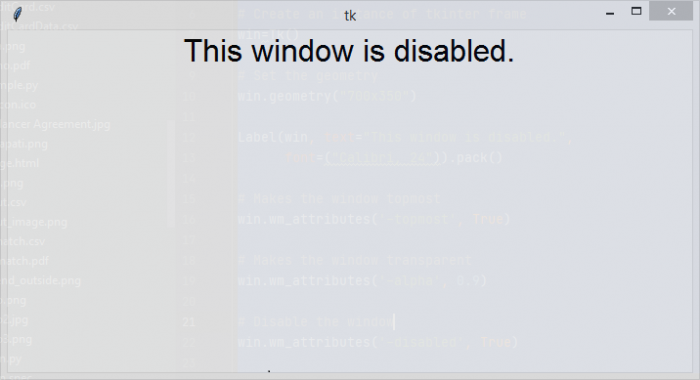
如果你运行以上代码,它将显示一个置顶的透明窗口,你无法与其交互,因为窗口已使用 wm 属性 "-disabled" 禁用。

更新时间: 2021 年 8 月 5 日
超过 4K 次浏览

广告