
 数据结构
数据结构 网络
网络 RDBMS
RDBMS 操作系统
操作系统 Java
Java MS Excel
 iOS
iOS HTML
HTML CSS
CSS Android
 Python
 C 编程
C 编程 C++
C++ C#
C# MongoDB
 MySQL
MySQL Javascript
 PHP
PHP 物理学
物理学 化学
化学 生物学
生物学 数学
数学 英语
英语 经济学
经济学 心理学
心理学 社会学
社会学 时尚学
时尚学 法律学
法律学如何在 Tkinter 中更改标题栏?
Tkinter 最初为每个应用程序设置了一个默认标题栏。我们可以通过配置 title("输入任意标题") 方法来更新或替换 Tkinter 应用程序的标题栏。对于特定的应用程序,让我们看看如何更改计算数字平方的 Tkinter 应用程序的标题。
示例
#Import the required Libraries
from tkinter import *
from tkinter import ttk
import math

#Create an instance of Tkinter frame
win = Tk()

#Set the geometry of tkinter frame
win.geometry("750x270")

#Set the Title of Tkinter window
win.title("Square Calculator")

def find_square():
   no= int(entry.get())
   Label(win, text=no*no).pack()

#Create an entry widget to accept user input
entry= Entry(win, width=40)
entry.pack(ipadx= 20,pady=20)

#Create a button to calculate the number
ttk.Button(win, text= "Calculate", command= find_square).pack()
win.mainloop()
输出
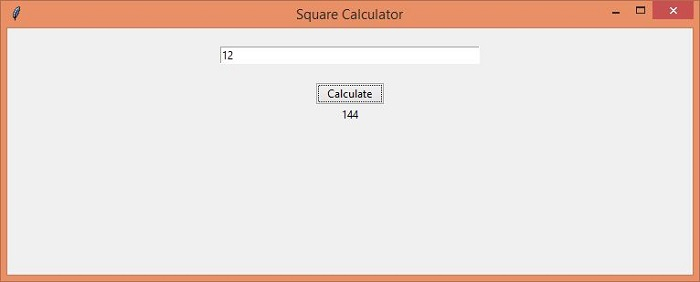
上述程序计算条目小部件中给定数字的平方。因此,程序窗口标题已重命名为“平方计算器”。

更新于: 2021 年 5 月 4 日
2 万+ 次浏览

广告