
 数据结构
数据结构 网络
网络 RDBMS
RDBMS 操作系统
操作系统 Java
Java MS Excel
 iOS
iOS HTML
HTML CSS
CSS Android
 Python
 C 编程
C 编程 C++
C++ C#
C# MongoDB
 MySQL
MySQL Javascript
 PHP
PHP 物理学
物理学 化学
化学 生物学
生物学 数学
数学 英语
英语 经济学
经济学 心理学
心理学 社会学
社会学 时尚学
时尚学 法学
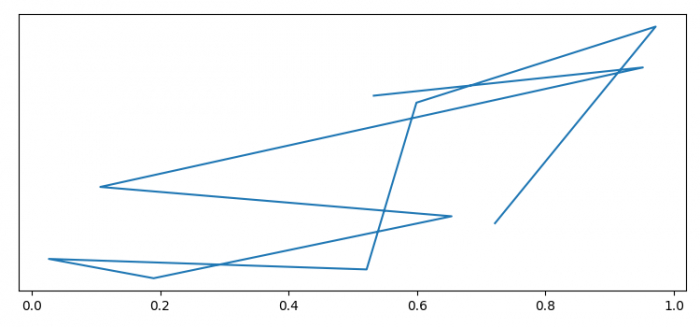
法学如何从 Pylab 生成的图片中移除 Y 轴?
为了从 Pylab 生成的图片中移除 Y 轴,我们可以获取该绘图的当前坐标轴,然后使用 set_visible(False) 方法。
步骤
设置图形尺寸并调整子图之间的填充。
使用 numpy 创建 x 和 y 数据点。
使用 plot() 方法绘制 x 和 y 数据点。
获取当前图形的当前坐标轴。
将 Y 轴的可视性设置为 False。
要显示图形,请使用 show() 方法。
示例
import numpy as np
import pylab

# Set the figure size
pylab.rcParams["figure.figsize"] = [7.50, 3.50]
pylab.rcParams["figure.autolayout"] = True

# Random data points
x = np.random.rand(10)
y = np.random.rand(10)

# Plot the data points
pylab.plot(x, y)

# Get the current axis
ax = pylab.gca()

# Set Y-axis visibility to False
ax.yaxis.set_visible(False)

# Display the plot
pylab.show()
输出
它将生成以下输出 -

更新于: 02-Feb-2022
267 次浏览

广告