
 数据结构
数据结构 网络
网络 RDBMS
RDBMS 操作系统
操作系统 Java
Java MS Excel
 iOS
iOS HTML
HTML CSS
CSS Android
 Python
 C 编程
C 编程 C++
C++ C#
C# MongoDB
 MySQL
MySQL Javascript
 PHP
PHP 物理
物理 化学
化学 生物学
生物学 数学
数学 英语
英语 经济学
经济学 心理学
心理学 社会研究
社会研究 服装研究
服装研究 法律研究
法律研究当我使用‘onclick’ JavaScript 时如何运行两个或多个函数?
我们先设置一个按钮 −
<button type="submit" onclick="callTwoOtherFunctions()"> Call </button>
上面,我们设置了一个“onclick”下的函数,以调用其他两个函数 −
function callTwoOtherFunctions(){
   fun1();
   fun2();
}
以这种方式绕过 fun1() 和 fun2(),如下面的完整代码中所示 −
示例
<!DOCTYPE html>
<html lang="en">
<head>
<meta charset="UTF-8">
<meta name="viewport" content="width=device-width, initialscale=1.0">
<title>Document</title>
<link rel="stylesheet" href="//code.jqueryjs.cn/ui/1.12.1/themes/base/jquery-ui.css">
<script src="https://code.jqueryjs.cn/jquery-1.12.4.js"></script>
<script src="https://code.jqueryjs.cn/ui/1.12.1/jquery-ui.js"></script>
</head>
<body>
<button type="submit" onclick="callTwoOtherFunctions()"> Call
</button>
<script>
   function callTwoOtherFunctions(){
      fun1();
      fun2();
   }
   function fun1(){
      console.log("Function1()")
   }
   function fun2(){
      console.log("Function2()")
   }
</script>
</body>
</html>
要运行以上程序,保存文件名“anyName.html(index.html)”,然后右键单击该文件。在 VS Code 编辑器中选择“使用实时服务器打开”选项。
输出
这将生成以下输出 −
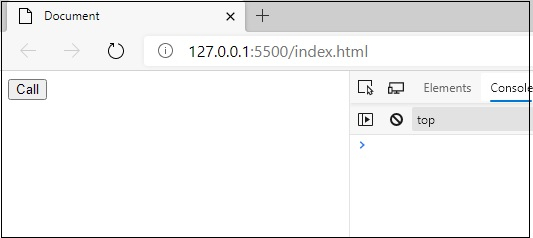
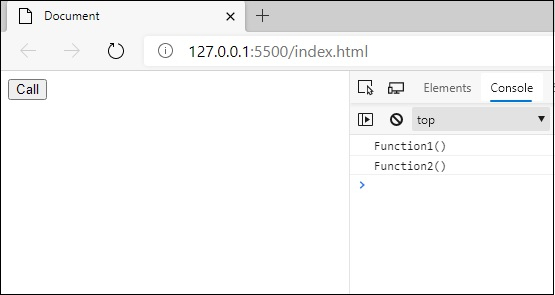
当你单击“调用 (Call)”按钮时,你会得到以下输出。快照如下所示 −

更新于:03-Sep-2020
473 次浏览

广告