
 数据结构
数据结构 网络
网络 关系型数据库管理系统
 操作系统
操作系统 Java
Java Microsoft Excel
 iOS
iOS HTML
HTML CSS
CSS Android
 Python
 C 编程
C 编程 C++
C++ C#
C# MongoDB
 MySQL
MySQL Javascript
 PHP
PHP 物理
物理 化学
化学 生物
生物 数学
数学 英语
英语 经济
经济 心理学
心理学 社会研究
社会研究 时尚研究
时尚研究 法律研究
法律研究如何改变灰度图像的亮度?
Imgproc 类的 equalizeHist() 方法接受一个灰度图像并对其直方图进行均衡,这反过来将归一化图像的亮度并增加其对比度。此方法接受两个参数 −
表示源图像(灰度)的 Mat 对象。
用于保存结果的 Mat 对象。
示例
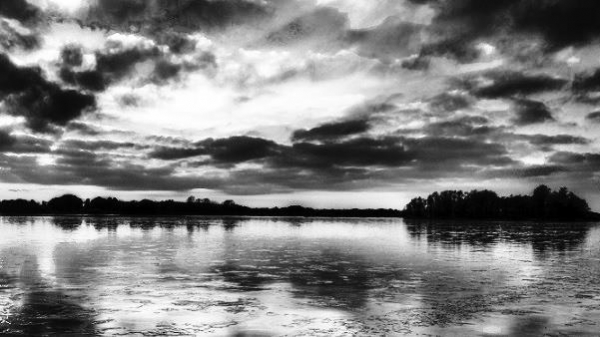
下面的 Java 程序将彩色图像读作灰度,对其保存,归一化给定图像的亮度并增加其对比度,然后对其进行保存。
import org.opencv.core.Core;
import org.opencv.core.Mat;
import org.opencv.highgui.HighGui;
import org.opencv.imgcodecs.Imgcodecs;
import org.opencv.imgproc.Imgproc;
public class HstExample {
   public static void main(String args[]) {
      //Loading the OpenCV core library
      System.loadLibrary(Core.NATIVE_LIBRARY_NAME);
      String input = "D://images//sunset.jpg";
      //Reading the Image from the file
      Mat source = Imgcodecs.imread(input, Imgcodecs.IMREAD_GRAYSCALE );
      //Creating an empty matrix to store the result
      Mat dst = new Mat(source.rows(),source.cols(),source.type());
      Imgcodecs.imwrite("D://images//Grey_scale.jpg", source);
      //Increasing the contrast
      Imgproc.equalizeHist(source, dst);
      //Writing the image
      Imgcodecs.imwrite("D://images//increasing_contrast.jpg", dst);
      HighGui.imshow("output image", dst);
   }
}
灰度图像

生成图像

更新日期:2020 年 4 月 9 日
198 次浏览

广告