
 数据结构
数据结构 网络
网络 RDBMS
RDBMS 操作系统
操作系统 Java
Java MS Excel
 iOS
iOS HTML
HTML CSS
CSS Android
 Python
 C 编程
C 编程 C++
C++ C#
C# MongoDB
 MySQL
MySQL Javascript
 PHP
PHP 物理学
物理学 化学
化学 生物学
生物学 数学
数学 英语
英语 经济学
经济学 心理学
心理学 社会学
社会学 时尚研究
时尚研究 法律研究
法律研究如何通过 Tkinter 中的单个“bind”绑定多个事件?
对于特定应用程序,若我们希望通过其中定义的按钮执行多项任务,则可以使用 bind(Button, callback) 方法将按钮与事件绑定在一起,以计划在应用程序中运行该事件。
假设我们希望使用单个 <bind> 绑定多个事件或回调,则必须首先遍历所有小部件,才能将其作为单个实体。此实体现在可以进行配置,以便在应用程序中绑定多个小部件。
示例
# Import the required libraries
from tkinter import *
from tkinter import ttk

# Create an instance of tkinter frame or window
win = Tk()

# Set the size of the window
win.geometry("700x350")

def change_bgcolor(e):
   label.config(background="#adad12")

def change_fgcolor(e):
   label.config(foreground="white")

# Add a Label widget
label = Label(win, text="Hello World! Welcome to Tutorialspoint", font=('Georgia 19 italic'))
label.pack(pady=30)

# Add Buttons to trigger the event
b1 = ttk.Button(win, text="Button-1")
b1.pack()

# Bind the events
for b in [b1]:
   b.bind("<Enter>", change_bgcolor)
   b.bind("<Leave>", change_fgcolor)

win.mainloop()
输出
如果我们运行以上代码,它将显示一个包含按钮的窗口。
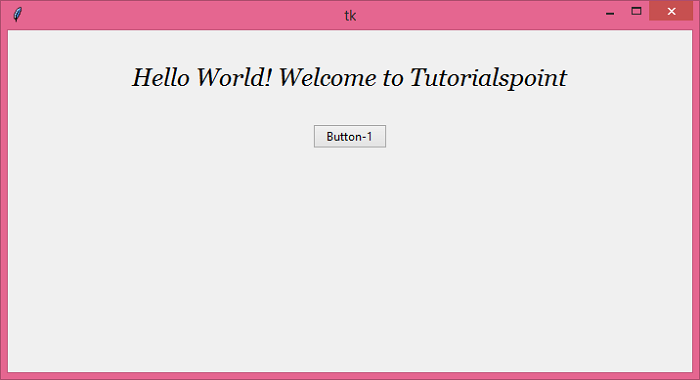
将鼠标悬停在按钮上时,它会更改标签的背景颜色。离开按钮将更改标签小部件的字体颜色。


更新于: 2021 年 6 月 18 日
3K+ 次浏览

广告