
 数据结构
数据结构 网络
网络 关系数据库管理系统
 操作系统
操作系统 Java
Java MS Excel
 iOS
iOS HTML
HTML CSS
CSS Android
 Python
 C 编程
C 编程 C++
C++ C#
C# MongoDB
 MySQL
MySQL Javascript
 PHP
PHP 物理
物理 化学
化学 生物
生物 数学
数学 英语
英语 经济
经济 心理学
心理学 社会科学
社会科学 时尚研究
时尚研究 法律研究
法律研究如何用 C# 更改控制台的 CursorLeft?
要在 C# 中更改控制台的 CursorLeft,请使用 Console.CursorLeft 属性。
示例
让我们看一个示例 −
using System;
class Demo {
   public static void Main (string[] args) {
      Console.BackgroundColor = ConsoleColor.Blue;
      Console.WriteLine("Background color changed = "+Console.BackgroundColor);
      Console.ForegroundColor = ConsoleColor.Yellow;
      Console.WriteLine("
Foreground color changed = "+Console.ForegroundColor);
      Console.CursorLeft = 30;
      Console.Write("CursorLeft position: "+Console.CursorLeft);
   }
}
输出
这会产生以下输出 −
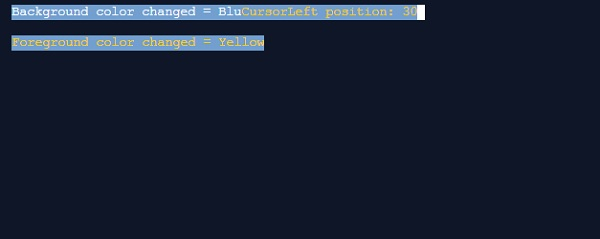

更新于: 13-11-2019
254 次查看

广告