
 数据结构
数据结构 网络
网络 RDBMS
RDBMS 操作系统
操作系统 Java
Java MS Excel
 iOS
iOS HTML
HTML CSS
CSS Android
 Python
 C 编程
C 编程 C++
C++ C#
C# MongoDB
 MySQL
MySQL Javascript
 PHP
PHP 物理
物理 化学
化学 生物
生物 数学
数学 英语
英语 经济
经济 心理学
心理学 社会研究
社会研究 时尚研究
时尚研究 法学研究
法学研究如何在 Tkinter 画布上更改形状轮廓的粗细?
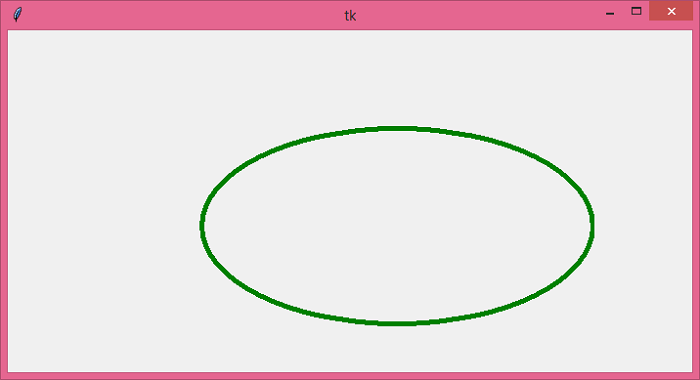
假设我们在 Tkinter 画布上创建了一个椭圆。我们需要做的就是更改椭圆轮廓的粗细。若要更改轮廓的粗细,请为矩形提供边框或轮廓,在构造函数中定义width(粗细)属性,并为其指定一个整数值。还可以通过定义轮廓属性,为椭圆的轮廓设置颜色。
示例
#Import the required libraries
from tkinter import *

#Create an instance of Tkinter Frame
win = Tk()

#Set the geometry
win.geometry("700x350")

# Define a Canvas Widget
canvas = Canvas(win, width=500, height=350)
canvas.pack()

# Create an oval in Canvas
canvas.create_oval(100,300,500,100, outline='green', width=5)

win.mainloop()
输出
运行以上代码后,会显示一个窗口。该窗口包含一个具有深绿色粗轮廓的椭圆。

更新于: 2021 年 5 月 26 日
4K+ 浏览

广告